
 Need help?
Do you have a question about the CANGAROO Hype and is the answer not in the manual?
Process for creating a new user account via email or phone number.
Steps to connect the camera using a QR code, including choosing networking modes.
Guide for connecting the camera to a wireless network, including configuration steps.
Instructions for wired network connection using a LAN cable.
Setting up connection using the device's own Wi-Fi hotspot.
Choosing and connecting to a Wi-Fi network, including troubleshooting.
Detailed process for establishing a direct connection via AP mode.
Configuring network settings and using default login credentials.
Overview of menu items, icons, and main features.
How to access and view recorded videos from cloud or memory card.
General, advanced, and management settings for the camera.
Adjusting time, schedule, sharing options, and camera features.
Multi-device display and accessing the camera feed via a computer.
Information on the user manual, product compliance, and figure disclaimers.
Core safety rules for product use, including supervision and handling.
Power cord safety, voltage correspondence, and adapter specifications.
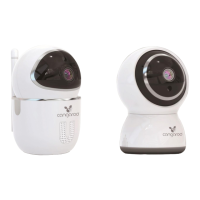
Identification of the main components of the camera device.
Key capabilities and technical details of the camera.
Essential checks before setup and initial camera connection guide.
Account creation, password requirements, and email confirmation.
Detailed guides for connecting via Wi-Fi, LAN cable, and AP hotspot.
Steps for direct hotspot connection and overview of control buttons.
Comprehensive guide on playback, settings, split screen, and PC viewing.
Solutions for common issues encountered when adding the device.
Resolving Wi-Fi, disconnection, and video recording problems.
Troubleshooting TF card, iPhone Wi-Fi, and account-related problems.
Information on product updates, manual usage, and problem resolution.
How to clean the device safely and associated warnings.
Guidance on long-term storage, product disposal, and repair advice.
 General
| Camera | Yes |
|---|---|
| Night Vision | Yes |
| Two-Way Audio | Yes |
| Temperature Monitoring | Yes |
| Features | Lullabies |
| Display | 2.4" LCD |
| Power | Rechargeable Battery (Parent Unit), AC Adapter (Baby Unit) |

 To Next Page
