EasyManua.ls Logo

CANGAROO IP-014H - User Manual

Default Icon
21 pages
Go to English
Print Icon
To Next Page IconTo Next Page
Loading...
BG: ИНСТРУКЦИЯ ЗА УПОТРЕБА НА 3MP Wi-Fi ВИДЕО БЕБЕФОН
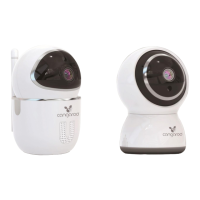
GB: USER MANUAL OF 3MP Wi-Fi BABY CAMERA
BG: Инструкцията се отнася за модели Hype и Teya със съответните артикулни
номера IP-013H и IP-014H.
GB: The user manual applies for models Hype and Teya with the respective item
numbers IP-013H and IP-014H.
Question and Answer IconNeed help?

Do you have a question about the CANGAROO IP-014H and is the answer not in the manual?

Summary

Sign Up an Account

Scan QR Code to Add Device

Scan code to add

Pair with Wi-Fi by scanning QR code on the mobile phone.

Addition of AP hotspot

Connect the device's own wireless network to pair Wi-Fi.

Connecting via LAN Cable

Connecting via AP Hotspot

AP Direct Mode of Connecting

Control Buttons for the Camera

Camera Use

Settings

Connect with the Camera via Your PC

Guidelines and Recommendations for Safe Use

Functions and Features of the Product

Technical Specifications

Before Set-up and Use of the Product

Connecting to the Camera

Frequently Asked Questions (Troubleshooting)

Cleaning and Maintenance

CANGAROO IP-014H Specifications

General IconGeneral
ConnectivityWireless
Wireless Technology2.4 GHz FHSS
Night VisionYes
Two-Way AudioYes
Pan/TiltYes
Temperature DisplayYes
AlarmYes
LullabiesYes

Related product manuals