Need help?
Do you have a question about the CanMore GT-730F(G) and is the answer not in the manual?
Information on GPS/GLONASS signal origin and responsibility for precision and maintenance.
GPS/GLONASS signals may be cut-off or disturbed inside buildings, tunnels, or near large objects.
The receiver's operating temperature is between -20°C and +60°C.
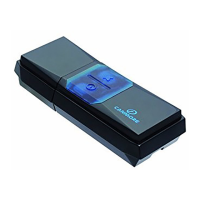
Overview of the GPS/GLONASS USB Dongle Receiver's dual tracking technology.
The receiver automatically determines a navigation solution without user intervention.
Events that may require receiver re-initialization, such as first use or long inactivity.
Details on signal detection, cold/hot start times, accuracy, and reacquisition.
Capacity to track satellites and specifications for USB interface compatibility.
List of items included in the package, such as the dongle, adapter, and manual.
Step-by-step instructions for installing the GPS/GLONASS USB Dongle on a Laptop/UMPC.
Guide to installing the USB driver and identifying the COM port usage.
Instructions for loading and setting up GPS mapping or routing software.
How the eMap application searches for satellites and displays the user's position.
LED OFF indicates the receiver is switching off.
LED Flashing (1 sec ON/1 sec OFF) indicates that the position is fixed.
LED ON indicates the receiver is currently searching for signals.
Poor signal reception in tunnels, buildings, forests, or under covers.
Anti-sunlight windscreen film can degrade or block GPS/GLONASS signals.
Military control of satellites may lead to accuracy adjustments affecting position fixing.
Using a USB extended adapter improves performance by reducing RF interference from notebooks.
Instructions for disposing of used equipment in compliance with environmental regulations.
Declaration of the product's compliance with essential requirements of the R&TTE directive.


 To Next Page
 General