THANK YOU FOR PURCHASING A CANNONDALE
Congratulations on your purchase of a Cannondale IQ Series computer.
Proper setup and operation will greatly enhance this product’s usefulness and your
enjoyment.
Please follow all Warnings and read all sections of this manual carefully and become fully
familiar with its operation before using it.
YOUR CANNONDALE RETAILER
Along with this manual, your key source of information and assistance is the shop where
you purchased this product. Your local Authorized Cannondale Retailer is your primary
contact to discuss service and adjustment to this product, instruction in its use, and any
warranty questions.
To nd an Authorized Cannondale Retailer closest to you, call 1800BIKEUSA. Or you can
use our dealer locator at our website www.cannondale.com.
IMPORTANT INFORMATION FOR ALL CANNONDALE CYCLING COMPUTERS
WARNINGS
WIRELESS COMPUTER MODELS (IQ200, IQ300, and IQ400) - People with medical/
implanted electronic equipment or devices such as heart pacemakers, EKG equipment,
etc. must not use wireless cycle computers due to possible risk of interference with the
medical devices.
EXERCISE - Adults with health problems (such as heart disease, diabetes or obesity) or
those at high risk, men over age 40 and women over age 50 or pregnant should talk
with their doctor before starting an exercise program.
INTENDED USE: For bicycle use only. Not for use on any motorized vehicle.
OPERATE COMPUTER ONLY WHEN NOT RIDING: Failure to pay attention to the road,
trail, trac or your surroundings could result in an accident, with risk of serious injury,
paralysis or death. You must focus on riding, not your computer. Learn computer opera-
tions, and do all possible computer operations when not riding. For any operations you
choose to perform while riding, choose a time and place where this distraction has less
risk.
MAKE SURE ALL COMPUTER PARTS ARE INSTALLED PROPERLY: The computer
must not interfere with the bicycle controls and your ability to use them. Mount the
computer according to the directions in this instruction manual. See your Authorized
Cannondale Retailer if you have any trouble installing or maintaining your computer.
CHECK FOR DAMAGE REGULARLY: Regularly check the position, alignment, and
condition of the spoke magnet, wireless sensor, cadence sensor, sensor and sensor wire
to make sure they are secure, aligned and in good condition. Make sure nothing is loose
and there are no worn or damaged parts.
BATTERIES: Use only battery size and type specied on the unit. Do not leave any
batteries in reach of children, and dispose of them correctly. If a battery is swallowed,
consult a doctor immediately.
NOT A TOY: Keep this computer and associated parts including the battery away from
children. Small parts could be swallowed.
YOU CAN BE SEVERELY INJURED, PARALYZED OR KILLED IN AN ACCIDENT IF YOU
IGNORE THESE WARNINGS.
NOTICE
■ This product is rain-proof only. Do not submerge or power wash.
■ Do not disassemble the unit.
■ Mount the computer according to the directions in this instruction manual.
■ Avoid direct impact to the computer unit.
■ Avoid using the computer unit in or near strong electromagnetic elds such as
high-voltage power lines or other transmitters.
■ Clean the unit with a mild detergent and a soft dry cloth. Never use any kind of
solvent or alcohol.
■ To prevent damage caused by battery leakage, remove the batteries before storage
or long period of non-use. Do not reverse battery installation. Observe positive (+)
and negative (-) markings.
■ WIRELESS MODELS (IQ200,IQ300, IQ400) Wireless computer uses an analog
wireless signal. It is not digitally coded but uses technology to lower the chance of
interference with circuitry used in other electronic devices such as lights, phones ,
computers, etc.
2012 IQ200 Computer
Setup and Owners Manual - 11/11
COMPUTER PARTS
COMPUTER INSTALLATION
The computer unit can be mounted on a bicycle handlebar or stem.
1. To mount the bracket, insert two nylon ties through the mounting bracket slots.
(a) - handlebar slots, (b) stem slots
2. Insert the rubber pad into back of mount bracket for handlebar or stem by aligning
slots in the back of the mount with the pad.
3. Position the pad/bracket onto the handlebar or stem and tighten both nylon ties
securely. Carefully snip tie ends 1-2mm from tie head.
To mount the computer onto the bracket, position it into the bracket at a 45 degree angle,
hold down and rotate the computer unit clockwise to lock it in place. To remove it, rotate
the computer counter-clockwise and lift it o.
NYLON TIES
MOUNTING BRACKET
HANDLEBAR
a
b
SENSOR INSTALLATION
Check the following components before installation:
1. Position the sensor on the front of the right fork leg within 60 cm of the computer.
The battery door must face out with the tear drop shape pointing down shown.
2. Pass the two cable ties through the sensor mounting holes and loosely mount the fork
sensor body to the left fork blade (do not fully tighten the cable ties at this point).
Loosely install the sensor magnet to one of the spokes of the front wheel. Adjust the
position of the magnet and sensor together so that the magnet is aligned with the line on
the bottom edge of the sensor and 1-2 mm separates the two parts and tighten both parts
in place.
Secure the sensor to the fork leg with two nylon ties.
3. Install the magnet onto a spoke so the magnet will pass over the sensor in the pickup zone
when the wheel is rotated.
4. Set the sensor-to-magnet gap by tilting the sensor toward or away from pickup zone. The
maximum distance between the speed sensor and magnet on the spoke is 5 mm.
5. When set, draw the nylon ties securely. Carefully snip the tie ends 1-2 mm from tie head.
IQ200 COMPUTER UNIT
(back)(front)
MOUNTING BRACKET
(back)(front)
WIRELESS SENSOR
SPOKE MAGNET
NYLON TIES (X4)
MOUNTING PAD
MAX. 30
o
MAX.
60 cm
5 mm
MAX.
5 mm
SPOKE
MAGNET
PICK-UP ZONE
WIRELESS SENSOR

 Need help?
 General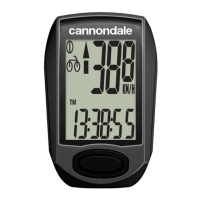

 To Next Page