
 Need help?
Do you have a question about the Cannondale CY22 SmartSense and is the answer not in the manual?
Explains the meaning of WARNING and NOTICE icons used in the manual.
Defines the N·m symbol for tightening torque in Newton meters.
States the manual provides safety, use, and maintenance info but is not a service manual.
Provides contact addresses and phone numbers for Cannondale USA and CSG Europe.
Advises coordinating service and maintenance through an Authorized Cannondale Dealer for warranty protection.
Specifies SmartSense lights are for daytime visibility, not road illumination, and for bicycle use only.
Highlights increased risks at night and recommends additional safety measures for visibility.
Warns against distractions from accessories and limits compatibility to specified Garmin devices.
Emphasizes situational awareness, correct light positioning, and adherence to local lighting regulations.
Recommends high-visibility clothing and reflective accessories to enhance visibility.
Instructs to use only specified batteries/chargers and avoid dropping or disassembling them.
Covers regulations for shipping batteries, safe charging practices, and proper disposal methods.
Details the function of the battery, cradle, front/rear lights, wheel sensor, and app.
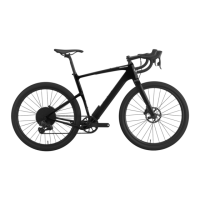
Illustrates the physical location of each SmartSense component on the bicycle.
Explains how the system is ready out of the box and lists hardware requirements for operation.
Describes automatic and manual methods for powering the SmartSense system on and off.
Details how to cycle through different light modes using the front light button.
Presents bar charts showing estimated runtimes for different light modes with and without radar.
Explains StVZO regulations for lights in some European regions and how to identify compliant systems.
Describes the integrated Garmin Varia Radar system and how to receive alerts via display, app, or head unit.
Explains the meaning of green, amber, and red colors for radar alerts indicating vehicle presence and speed.
Details customizable features like Auto Wake, Auto Adjust, Auto Low Power, Brake Alert, and Radar Target React.
Outlines how the Cannondale App enhances control, customization, and monitoring of SmartSense features.
Lists common problems and directs users to the Cannondale Help Center for solutions.
Provides a detailed diagram and identification of the parts of the SmartSense Foresite 350 front light.
Provides a detailed diagram and identification of the parts of the Hindsite Array E85/E25 rear lights.
Details how to mount the rear light and Garmin Varia Radar unit using the bracket.
Describes mounting the rear light and radar unit to the seatpost using different mount options.
Discusses battery duration and service life, factors affecting lifespan, and usage patterns.
Advises to charge the battery for 3 hours before first use to reach full capacity.
Shows top and bottom view diagrams identifying the battery, buttons, LEDs, and ports.
Explains how the four LEDs indicate the current battery charge level when the button is pressed.
Describes the different states and meanings of the system status LED, including active, sleep, errors, and firmware updates.
Explains the two automatic sleep modes designed to conserve energy when the system is not in use.
Provides step-by-step instructions for charging the SmartSense battery using a USB-C cable and power supply.
Details how the battery can charge other USB devices, noting it reduces the system's running time.
Explains the USB-C port is for charging only and does not transmit data.
Describes the cradle's function, cable connectors, and the location of the serial number.
Guides on how to install and secure the cradle to the bicycle frame, including screw tightening and cover installation.
Shows a diagram identifying the SmartSense cradle, latch, cable leads, and extension cables.
Provides instructions for installing and removing the SmartSense battery from the cradle, with important warnings.
Lists available replacement and service parts for the SmartSense system with their part numbers and descriptions.
Provides contact information for Cannondale USA, CSG Europe, and Cannondale UK, including websites and phone numbers.
 General
| Model | CY22 SmartSense |
|---|---|
| Category | Bicycle |
| Frame Material | Aluminum |
| Wheel Size | 700c |
| Brakes | Hydraulic Disc |
| Spokes | Stainless Steel, 14g |
| Rear Derailleur | Shimano 105 |
| Drivetrain | Shimano |
| Smart Features | SmartSense system with integrated lights and radar |
| Hubs | Formula |
| Crank | 50/34 |
| Chain | Shimano HG601 |
| Rear Cogs | Shimano 105, 11-34 |
| Front Derailleur | Shimano 105 |
| Shifters | Shimano 105 |
| Grips | Cannondale Bar Tape |
| Stem | Cannondale 3, Alloy |
| Headset | Integrated, 1-1/8 to 1-1/4 |
| Brakes Details | Shimano 105 Hydraulic Disc |
| Seatpost | Cannondale 3, Alloy |


 To Next Page