Canon60DTroubleshootingGuide
PhysicalSettings
Problem:Thezoomringwillnotmove.
Solution:Checkthebottomrightsideofthelensforthelockbuttonandturnitoff.
Sometimesthisbuttonwillinadvertentlybepushedintoalockingposition.
Problem:Iamunabletorecordvideo.
Solution:Ensurethatthecameramodewheel,locatedontheupperleftportionofthe
camera,isturnedallthewaycounterclockwisetothevideosymbol.Othermodesmay
notallowvideorecording.
Problem:ThecamerakeepsrefocusingwhileIamrecordingfootage.
Solution:ThelensissettoAutofocus(AF).Locatetheswitchontheleftsideofthelens
andturnittoManualFocus(MF).Autofocusshouldnotbeselectedwhilerecording
video.
Problem:Myvideo/picturelooksshakybutIwouldliketokeepmycurrentshutter
speed.

 Need help?
 General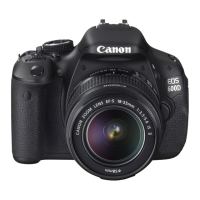













 To Next Page