EasyManua.ls Logo

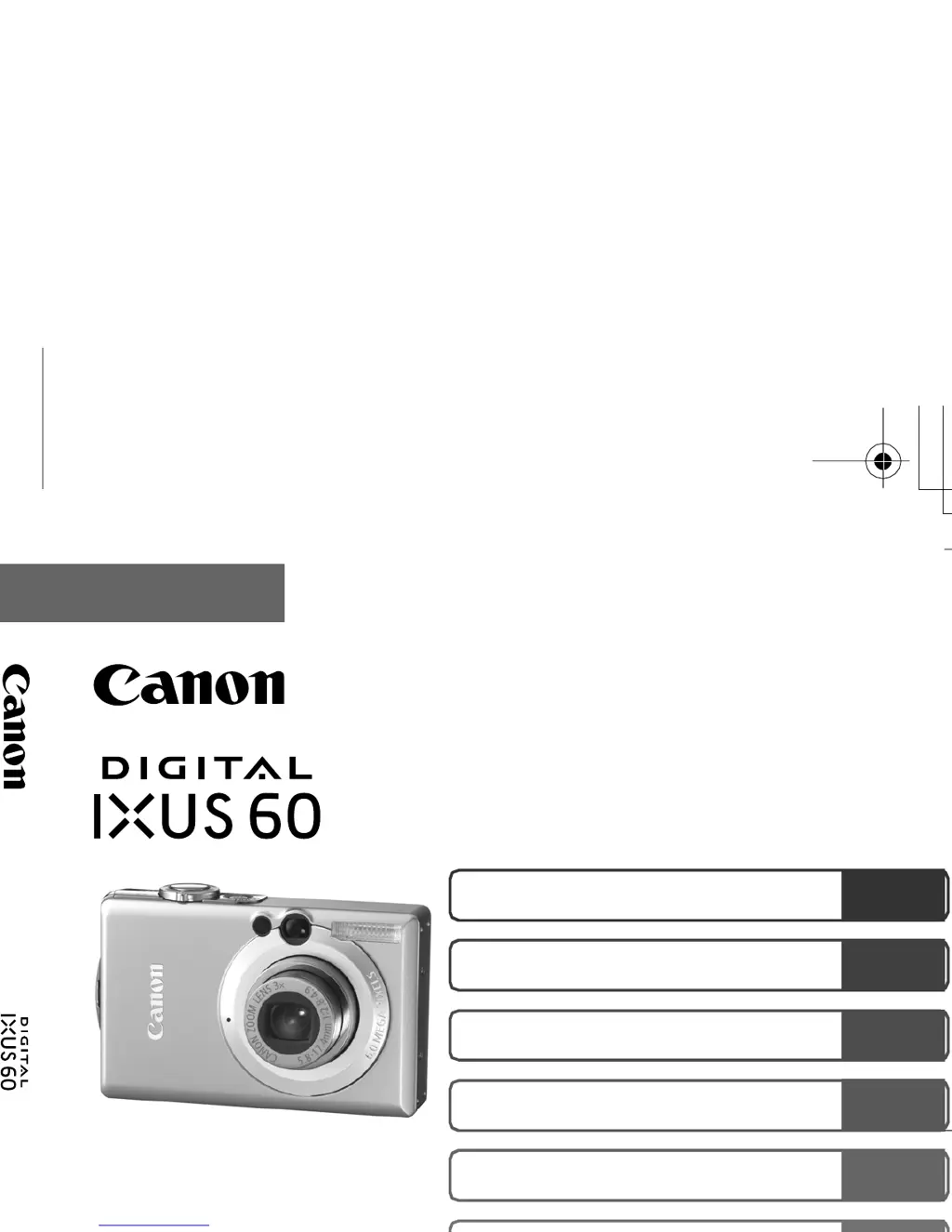
Canon Digital IXUS 60 - User Manual

Canon Digital IXUS 60
131 pages
Print Icon
To Next Page IconTo Next Page
Loading...
Camera User Guide
Advanced
DIGITAL CAMERA
Advanced Camera User Guide
Before Using the Camera
Shooting
Playback/Erasing
Print/Transfer Settings
Viewing Images on a TV set
Customizing the Camera
Troubleshooting
List of Messages
This guide explains camera features and procedures in detail.
Appendix
ENGLISH
CEL-SF5S210 © 2005 CANON INC.
Cov-Advanced.fm Page 1 Wednesday, December 7, 2005 10:42 AM

Table of Contents

Other manuals for Canon Digital IXUS 60

Questions and Answers

  • K
    Karen EdwardsAug 14, 2025
    Why won't my Canon Digital IXUS 60 Digital Camera record?
    • J
      jmccoyAug 14, 2025
      Your Canon Digital Camera might not be recording due to several reasons: the mode switch may be set to playback, the flash might be charging (the indicator will light orange when charged), the memory card could be full or not formatted correctly, or the SD memory card might be write-protected. To resolve this, try setting the mode switch to the appropriate setting, wait for the flash to charge, insert a new memory card or download the images to a computer and erase them from the memory card to make space, format the memory card, or slide the write protect tab of the SD memory card upward.
  • B
    bradrosalesAug 17, 2025
    How to fix blurry images on Canon Digital IXUS 60 Digital Camera?
    • H
      hdelacruzAug 17, 2025
      If your images are blurred or out of focus on your Canon Digital Camera, it could be due to several reasons. The AF-assist Beam might be set to Off (set it to On in dark places). The camera might be moving when the shutter button is pressed (use the self-timer or a tripod). The subject might be out of focal range (shoot with the subject at the correct shooting distance). Or the subject might be hard to focus on (use the focus lock or AF lock).
  • R
    Rebecca MaldonadoAug 20, 2025
    What to do if my Canon Digital IXUS 60 Digital Camera will not operate?
    • J
      James DixonAug 20, 2025
      If your Canon Digital Camera won't operate, check the following: ensure the power is turned on by pressing the power button, confirm that the memory card slot/battery cover is securely closed, verify that the battery has sufficient voltage (insert a fully charged battery), and polish the terminals with a soft cotton swab before charging or using the battery to ensure good contact.
  • W
    williammedinaAug 25, 2025
    Why is my Canon Digital IXUS 60 taking dark pictures?
    • J
      jenniferchaneyAug 25, 2025
      If the subject in your recorded image is too dark, it could be due to insufficient light for shooting (set the flash to flash on), the subject being underexposed because the surroundings are too bright (set the exposure compensation to a positive setting, use AE lock or the spot metering function), or the subject being too far away for the flash to reach (shoot within correct shooting distance of the subject when using the built-in flash or raise the ISO speed).
  • V
    Vanessa GreenAug 27, 2025
    How to stop Canon Digital IXUS 60 from overexposing images?
    • S
      Steven GriffinAug 27, 2025
      If the subject in your recorded image is too bright, or the image flashes white, it could be because the subject is too close, making the flash too strong (shoot within correct shooting distance of the subject when using the built-in flash), the subject is overexposed because the surroundings are too dark (set the exposure compensation to a negative setting, use AE lock or the spot metering function), too much light is shining directly into the camera or is being reflected off the subject (change the shooting angle), or the flash is set to on (set the flash to flash off).
  • C
    caintiffanyAug 30, 2025
    How to reduce noise in Canon Digital IXUS 60 images?
    • M
      Maria CooperAug 30, 2025
      If your image contains noise, it is possible that the ISO speed is too high. Higher ISO speeds and the High ISO Auto setting may increase image noise. For higher image quality, select as low an ISO speed as possible. In certain modes, the ISO speed increases and noise can appear.
  • K
    Kristina PowersSep 3, 2025
    How to unlock SD card on Canon Digital Camera?
    • R
      Randy ChristianSep 3, 2025
      If the "Card locked!" message appears on your Canon Digital Camera, the SD memory card's write protect tab is likely set to "Write protect". To resolve this, slide the tab upward when recording to, erasing from or formatting the SD memory card.
  • M
    Megan SandersSep 6, 2025
    What causes slow shutter speed on Canon Digital IXUS 60?
    • S
      Steven CarpenterSep 6, 2025
      A slow shutter speed has likely been selected because of insufficient lighting. To resolve this, raise the ISO speed or set the flash to any setting other than flash off, or secure the camera to something, such as a tripod.
  • J
    Jesus OrrSep 9, 2025
    Why does the Date/Time menu keep appearing on my Canon Digital IXUS 60?
    • J
      jared18Sep 10, 2025
      If the Date/Time menu appears on your Canon Digital Camera, it means that the built-in rechargeable lithium battery charge is low. Recharge the built-in battery immediately.

Summary

Main Features

Shooting Features

Camera shooting capabilities and modes like Scene mode and High ISO Auto.

Playback and Editing Functions

Functions for viewing recorded images and movies, including slideshows and effects.

Printing and Image Transfer

Ease of printing via Print/Share button and transferring images using the same button.

Conventions Used in this Guide

Handling Precautions

Test Shots Recommendation

Advice to shoot trial images to confirm camera operation before important subjects.

Copyright Infringement Warning

Note that cameras are for personal use and must not infringe copyright laws.

Safety Precautions

Equipment Warnings

Critical safety warnings for handling camera equipment, including flash and power cord.

Battery Safety Guidelines

Precautions for handling, charging, and disposing of camera batteries safely.

Preventing Malfunctions

Avoid Strong Magnetic Fields

Instructions to prevent camera malfunctions caused by electromagnetic fields.

Preventing Condensation

Steps to avoid condensation when moving the camera between temperature extremes.

Before Using the Camera-The Components Guide

Front View Camera Components

Identification and description of camera parts visible from the front.

Back View Camera Components

Identification and description of camera parts visible from the back.

Operation Panel

Camera Indicators Explained

Explanation of the camera's indicator lights and their meanings.

Power Saving Function Details

Information on the camera's automatic power-off features.

Using the LCD Monitor

LCD Monitor Brightness Settings

How to adjust LCD brightness and use the Night Display feature.

Information Displayed on LCD

Details on shooting and playback information shown on the LCD monitor.

Using the Viewfinder

Setting the World Clock

Setting Home and Destination Time Zones

Procedure for setting the camera's home and world time zones.

Menus and Settings

FUNC. Menu Operations

How to access and use the common shooting functions menu.

Rec., Play, Print, Set up Menus

Navigating and using various camera setting menus.

Menu List

Resetting Settings to Their Default Values

Formatting Memory Cards

Shooting

Recording Pixels and Compression

Adjusting image resolution and compression settings for still images.

Magnified Close-Up Shooting

Guide to using the Digital Macro mode for close-up photography.

Using the Digital Zoom

Instructions on how to utilize the camera's digital zoom functionality.

Continuous Shooting

How to shoot sequences of images rapidly by holding the shutter button.

Using the Self-Timer

Setting delay times and number of shots for self-timer photography.

Adjusting the ISO Speed

How to change ISO settings to manage exposure and reduce shake.

Movie Shooting

Standard Movie Mode

Recording video with selectable pixels and frame rates.

Fast Frame Rate Movies

Using a higher frame rate for capturing fast-moving subjects.

Playback;Erasing

Magnifying Images for Review

How to zoom in on images and navigate the magnified view.

Viewing Images in Sets of Nine

Using Index Playback to view multiple images at once.

Editing Movies

Procedures for deleting portions of recorded movies.

Protecting Images from Erasure

Steps to protect important images and movies from accidental deletion.

Erasing All Images

How to delete all images and data from the memory card.

Print Settings;Transfer Settings

Setting the DPOF Print Settings

Specifying images and print quantities for DPOF printing.

Setting the DPOF Transfer Settings

Configuring image transfer order and selections for computer download.

Viewing Images on a TV set

Customizing the Camera (My Camera Settings)

Changing My Camera Settings

How to customize start-up images, sounds, and other camera settings.

Registering My Camera Settings

Adding custom images and sounds as My Camera settings.

Troubleshooting

Camera Operational Issues

Solutions for common problems like camera not operating or card errors.

LCD Monitor Problems

Troubleshooting issues related to the camera's LCD display.

Shooting Performance Issues

Addressing problems like blurred images, incorrect exposure, or noise.

List of Messages

Appendix

Battery Handling and Charging

Guidelines for safe battery use, charging, and maintenance.

Memory Card Handling and Formatting

Best practices for using, caring for, and formatting memory cards.

Camera Care and Maintenance

Instructions for cleaning and maintaining the camera body, lens, and LCD.

Specifications

Camera Technical Details

Detailed specifications for lens, sensor, AF system, and shutter speeds.

Memory Cards and Capacities

Information on memory card compatibility and estimated image capacities.

Canon Digital IXUS 60 Specifications

General IconGeneral
Sensor Resolution6.0 Megapixels
Optical Zoom3x
Display Size2.5 inches
Image ProcessorDIGIC II
ISO SensitivityAuto, 80, 100, 200, 400, 800
Video Recording640 x 480 at 30 fps
Battery TypeNB-4L Lithium-ion
Sensor TypeCCD
Sensor Size1/2.5 inch
Digital Zoom4x
Focal Length5.8 - 17.4 mm (35mm equivalent: 35 - 105 mm)
Aperture Rangef/2.8-f/4.9
LCD Screen Resolution173, 000 pixels
Shutter Speed15 - 1/1500 sec
Storage TypeSD Card
Weight140g (including battery)

Related product manuals