14
The Power Zoom Adapter is a lens accessory (sold separately).
For information on how to attach to the lens and operate the Power
Zoom Adapter, refer to its Instruction Manual.
1
Prepare the Power Zoom Adapter.
Attach the Power Zoom Adapter to
the lens, then attach the lens to the
camera.
Set the zoom mode switch of the
Power Zoom Adapter to the <
PZ
>
position.
2
Set up the camera for remote
control shooting.
Set the drive mode of the camera to
< > (remote control).
3
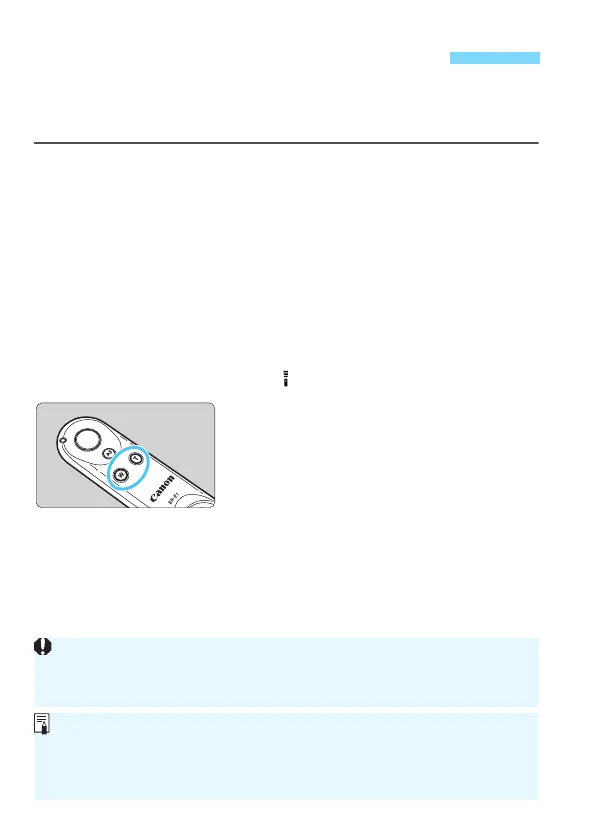
Press the power zoom button.
Press the <W> button to zoom to the
wide-angle side or the <T> button to
zoom to the telephoto side.
Operating the Power Zoom Adapter
Depending on the camera, the setup method for remote control shooting
may differ. Refer to the Instruction Manual for your camera.
During viewfinder shooting, the Power Zoom Adapter cannot be used.
The zoom speed is constant regardless of how you press the power
zoom button.
The zoom speed can be set with the speed level switch on the Power
Zoom Adapter.



 To Next Page