ENG-5
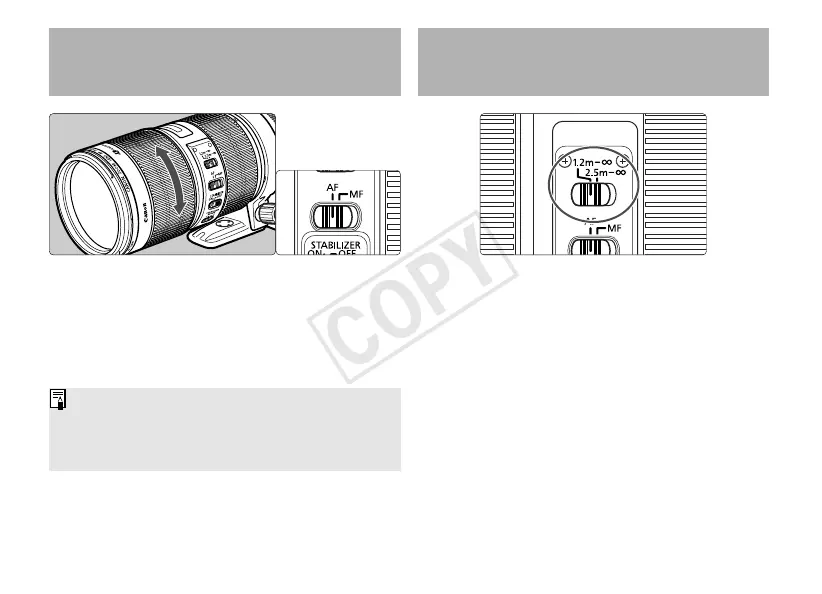
You can set the focusing distance range to
1.2 m/3.9 ft. to infinity or 2.5 m/8.2 ft. to infinity.
By setting the suitable focusing distance range,
the actual autofocusing time can be shorter.
3.
Switching the Focusing
Distance Range
2. Setting the Focus
Mode
To shoot in autofocus (AF) mode, set the focus
mode switch to AF.
To use only manual focusing (MF), set the focus
mode switch to MF, and focus by turning the
focusing ring. The focusing ring always works,
regardless of the focus mode.
After autofocusing in ONE SHOT AF mode, focus
manually by pressing the shutter button halfway
and turning the focusing ring. (Full-time manual
focus)






 To Next Page