227
QuickReference(English/
中
文
)
QuickReference
Use the Wordmemo
1
Register headwords
In the main text screen for dictionaries, press
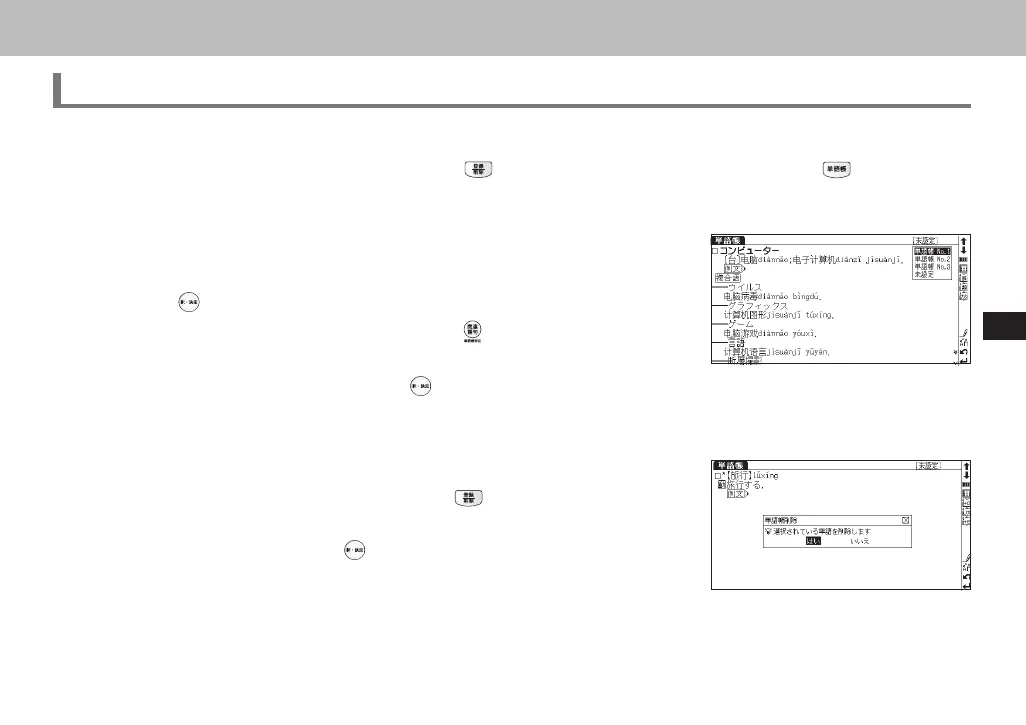
to copy the word into the Wordmemo. Press to see the list of
headwords previously registered.
2
Organize the headwords by category
From the Wordmemo list, registered headwords can be categorized.
Press
to return to the previous main text screen.
In the main screen of the Wordmemo, press
to pull down the category
menu. Select an appropriate category option (Wordmemo 1, Wordmemo 2,
Wordmemo 3, Not defined) and press
to assign the current headword to
the category.
3
Delete Wordmemo data
In the main screen of the Wordmemo, press
. When the message "単語
帳から削除しますか " (Delete headwords from Wordmemo) appears, se-
lect " はい " (Yes) and press
to confirm the deletion.
CSH06H206-P227-233 06.8.17, 4:40 PMPage 227 AdobePageMaker6.5J/PPC



 To Next Page