223
QuickReference(English/
中
文
)
QuickReference
■ Display example sentences or references
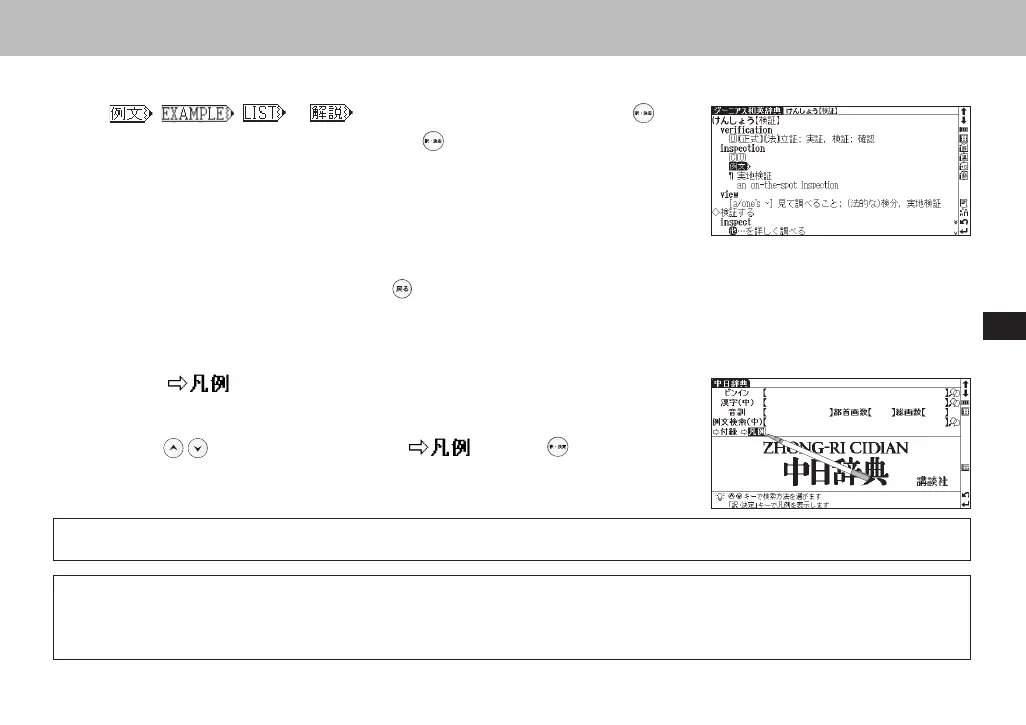
When , , or appear on the main text screen, press to
display example sentences, list or reference. Press
again to close.
■ Return to search result screen
While the main text screen is displayed, press to return to the search result screen.
■ See dictionary guide
1
When appears on the initial search screen of any dictionary, a user
guide is available.
2
Move in the search screen, select and press to refer to the
guide.
Select from the selection list, enter a list or icons by tapping with the stylus pen.
Switch display language
At the set-up menu screen, the display language can be switched between Japanese, English and Chinese. The Set-up menu
screen can be found on the Menu screen.
CSH06H206-P218-226 06.8.17, 4:40 PMPage 223 AdobePageMaker6.5J/PPC



 To Next Page