222
QuickReference(English/
中
文
)
QuickReference
■ Search words/phrases/sentences
1
Move to select an input field. Enter a search word or phrase with the
character keys.
2
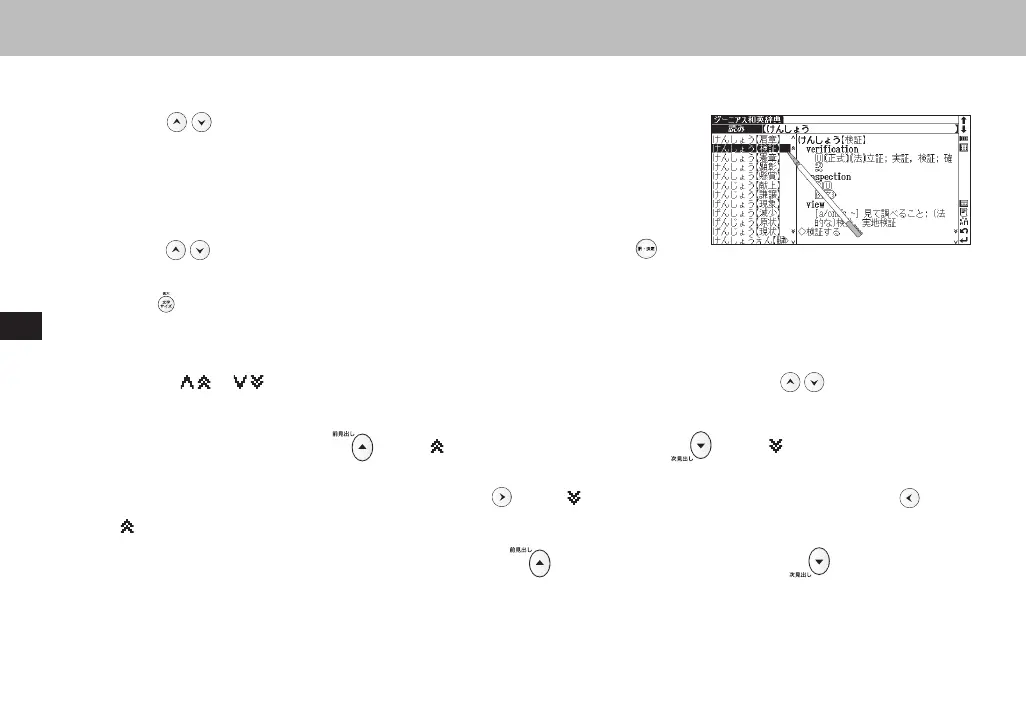
A list of matched words/phrases will be displayed on the left side. A preview of
a chosen headword is displayed on the right side.
3
Move to select the appropriate word/phrase on the list and press to
display the main text screen for the selected word/phrase.
● Press to change the font size.
■ Scroll screen
1
Arrows ( or ) indicate that the contents of the screen cannot be fully displayed. Press to scroll up or down
one line at a time.
2
In the search result list, press (or tap ) to scroll up by screen or press (or tap ) to scroll down by screen.
3
In the main text screen for the searched word, press (or tap ) to scroll forward to the next screen or press (or tap
) to scroll back to the previous screen of the text.
4
In the main text screen for the searched word, press to display the previous entry or to display the next
entry.
CSH06H206-P218-226 06.8.17, 4:40 PMPage 222 AdobePageMaker6.5J/PPC



 To Next Page