EasyManua.ls Logo

Canon ELPH 2 - Turning the Power On; Switch the camera on; 3 Turning the Power On; Checking the Battery Power

Canon ELPH 2
53 pages
Print Icon
To Next Page IconTo Next Page
To Previous Page IconTo Previous Page
Loading...
IE
Turning
the
Power
On
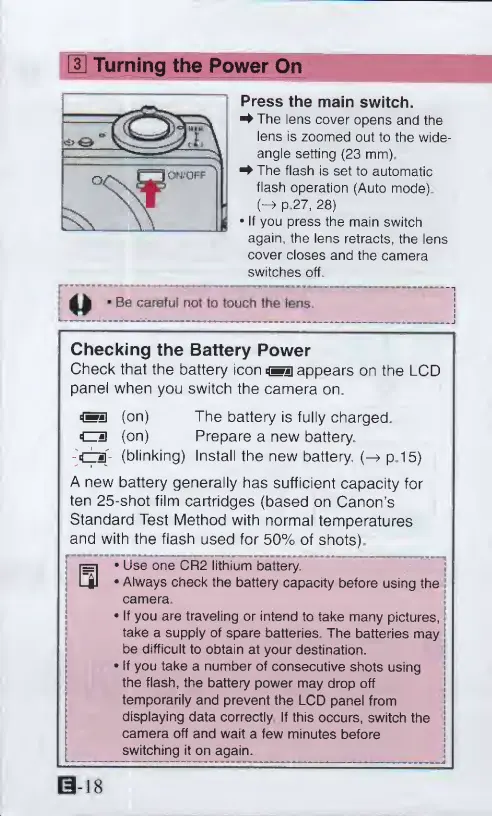
Press
the
main
switch.
^The
lens
cover
opens
and
the
lens
is
zoomed
out
to
the
wide-
angle
setting
(23
mm).
^
The
flash
is
set
to
automatic
flash
operation
(Auto
mode)
(-»
p.27,
28)
If
you
press
the
main
switch
again,
the
lens
retracts,
the
lens
cover
closes
and
the
camera
switches
off
<1
Be
careful
not
to
touch
the
fens.
Checking
the
Battery
Power
Check
that
the
battery
icon
*«]
appears
on
the
LCD
panel
when
you
switch
the
camera
on,
*f»]
(on)
The
battery
is
fully
charged.
cm
(on)
Prepare
a
new
battery
-O'-
(blinking)
Install
the
new
battery.
(-»
p.15)
A
new
battery
generally
has
sufficient
capacity
for
ten
25-shot
film
cartridges
(based
on
Canon’s
Standard
Test
Method
with
normal
temperatures
and
with
the
flash
used
for
50%
of
shots)
ra
Use
one
CR2
lithium
battery.
C|l
*
Always
check
the
battery
capacity
before
using
the
camera.
If
you
are
traveling
or
intend
to
take
many
pictures,
j
take
a
supply
of
spare
batteries
The
batteries
may
j
be
difficult
to
obtain
at
your
destination.
If
you
take
a
number
of
consecutive
shots
using
the
flash,
the
battery
power
may
drop
off
temporarily
and
prevent
the
LCD
panel
from
displaying
data
correctly
If
this
occurs,
switch
the
|
camera
off
and
wait
a
few
minutes
before
switching
it
on
again.

Other manuals for Canon ELPH 2

Related product manuals