EasyManua.ls Logo

Canon ELPH 2 - Page 19

Canon ELPH 2
53 pages
Print Icon
To Next Page IconTo Next Page
To Previous Page IconTo Previous Page
Loading...
Choosing
the
Print
Type
With
this
camera,
you
can
choose
any
of
three
types
of
print:
C
print,
H
print
or
P
print
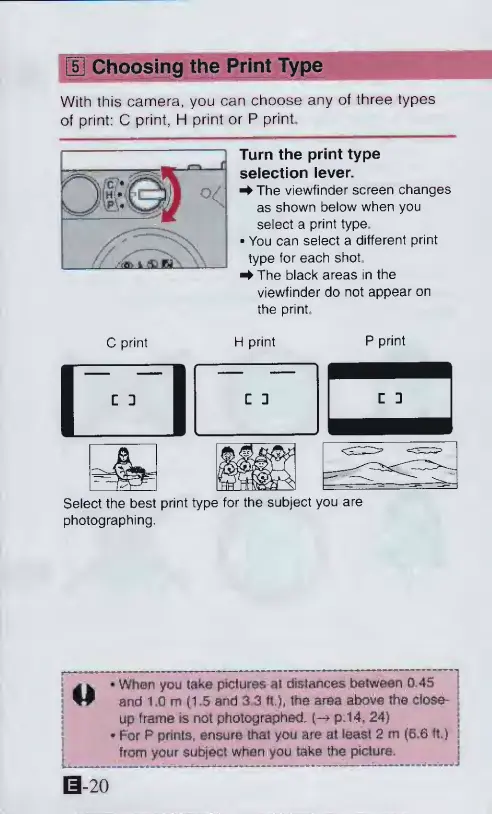
Turn
the
print
type
selection
lever.
^The
viewfinder
screen
changes
as
shown
below
when
you
select
a
print
type
You
can
select
a
different
print
type
for
each
shot.
^
The
black
areas
in
the
viewfinder
do
not
appear
on
the
print.
C
print
H
print
P
print
Select
the
best
print
type
for
the
subject
you
are
photographing.
j
^
*
When
you
taka
pictures
at
distances
between
Q,4S
W
and
1.0
m
(1.5
and
3.3
ft.),
the
area
above
the
closer
up
frame
is
not
photographed,
p.14,
24)
*
For
P
prints,
ensure
that
you
are
at
least
2
m
(6.6
ft.)
from
your
subject
when
you
take
the
picture.
0-20

Other manuals for Canon ELPH 2

Related product manuals