EasyManua.ls Logo

Canon ELPH 2 - 4 Flash OFF Mode

Canon ELPH 2
53 pages
Print Icon
To Next Page IconTo Next Page
To Previous Page IconTo Previous Page
Loading...
Changing
the
Flash
Mode
B
®
Flash
OFF
Mode
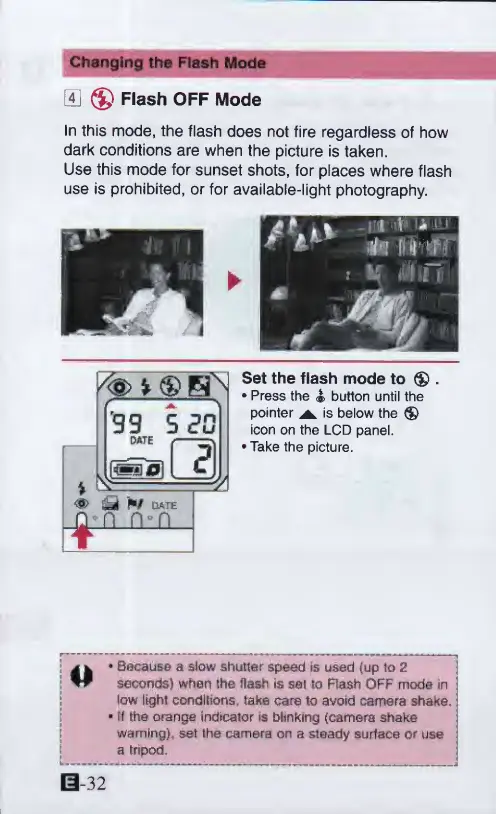
In
this
mode,
the
flash
does
not
fire
regardless
of
how
dark
conditions
are
when
the
picture
is
taken.
Use
this
mode
for
sunset
shots,
for
places
where
flash
use
is
prohibited,
or
for
available-light
photography.
Set
the
flash
mode
to
®
.
Press
the
4
button
until
the
pointer
^
is
below
the
®
icon
on
the
LCD
panel.
Take
the
picture.
41
*
Because
a
slow
shutter
speed
is
used
(up
to
2
seconds)
when
the
flash
is
sel
to
Rash
OFF
mode
in
low
light
conditions,
take
care
to
avoid
camera
shake,
j
*
tf
the
orange
indicator
is
blinking
(camera
shake
warning},
set
the
camera
on
a
steady
surface
or
use
a
tripod.
0-32

Other manuals for Canon ELPH 2

Related product manuals