EasyManua.ls Logo

Canon ELPH 2 - Mid-roll Film Change Details

Canon ELPH 2
53 pages
Print Icon
To Next Page IconTo Next Page
To Previous Page IconTo Previous Page
Loading...
SM
Mid-roll
Film
Change
This
camera
supports
the
Film
Cartridge
Mid-roll
Change
function,
which
is
one
of
the
major
features
of
the
APS
format.
If
you
reload
a
film
cartridge
that
has
been
partly
used,
this
useful
function
automatically
winds
the
film
on
to
the
first
unexposed
frame
so
that
you
can
continue
shooting
from
that
point
onwards.
This
function
makes
it
possible
for
you
to
swap
around
and
shoot
using
multiple
film
cartridges
depending
on
factors
such
as
the
subject,
the
type
of
shot,
or
the
film
speed.
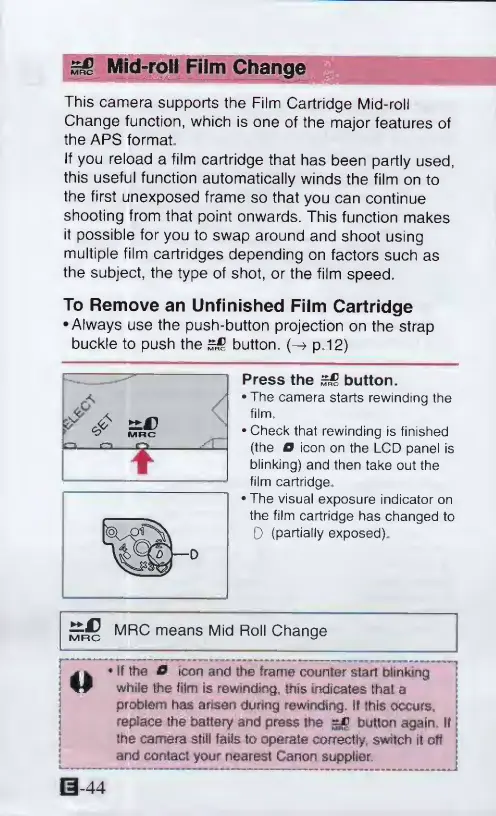
To
Remove
an
Unfinished
Film
Cartridge
•Always
use
the
push-button
projection
on
the
strap
buckle
to
push
the
button.
(-»
p.12)
Press
the
button.
The
camera
starts
rewindtnq
the
film,
Check
that
rewinding
is
finished
(the
0
icon
on
the
LCD
panel
is
blinking)
and
then
take
out
the
film
cartridge
The
visual
exposure
indicator
on
the
film
cartridge
has
changed
to
0
(partially
exposed).
means
M'
d
Ro11
Change
I
m
w
*
If
the
0
icon
and
the
tram®
counter
start
blinking
j
M
while
the
film
is
rewinding,
this
indicates
that
a
problem
has
arisen
during
rewinding.
If
this
occurs,
replace
the
battery
and
press
the
=jd
button
again.
II
|
the
camera
still
fails
to
operate
correctly,
switch
it
off
and
contact
your
nearest
Canon
supplier.
0-44

Other manuals for Canon ELPH 2

Related product manuals