EasyManua.ls Logo

Canon ELPH 2 - Page 45

Canon ELPH 2
53 pages
Print Icon
To Next Page IconTo Next Page
To Previous Page IconTo Previous Page
Loading...
Loading
a
Partially
Used
Film
Cartridge
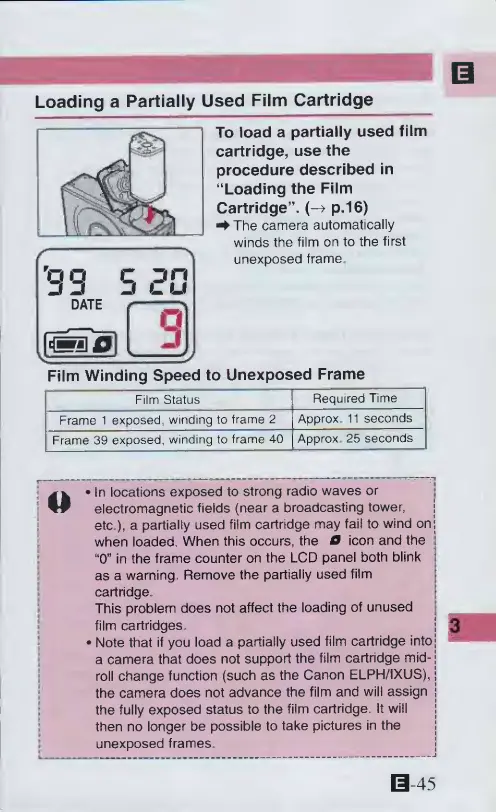
To
load
a
partially
used
film
cartridge,
use
the
procedure
described
in
“Loading
the
Film
Cartridge”.
(->
p.16)
4
The
camera
automatically
winds
the
film
on
to
the
first
unexposed
frame
Film
Winding
Speed
to
Unexposed
Frame
Film
Status
Reguired
Time
Frame
1
exposed,
winding
to
frame
2
Approx
11
seconds
Frame
39
exposed,
winding
to
frame
40
Approx
25
seconds
In
locations
exposed
to
strong
radio
waves
or
electromagnetic
fields
(near
a
broadcasting
tower,
etc.),
a
partially
used
film
cartridge
may
fail
to
wind
on;
when
loaded.
When
this
occurs,
the
O
icon
and
the
;
“0”
in
the
frame
counter
on
the
LCD
panel
both
blink
|
as
a
warning
Remove
the
partially
used
film
cartridge
This
problem
does
not
affect
the
loading
of
unused
film
cartridges.
j
Note
that
if
you
load
a
partially
used
film
cartridge
intoj
a
camera
that
does
not
support
the
film
cartridge
mid-
j
roll
change
function
(such
as
the
Canon
ELPH/IXUS),
j
the
camera
does
not
advance
the
film
and
will
assign
j
the
fully
exposed
status
to
the
film
cartridge.
It
will
then
no
longer
be
possible
to
take
pictures
in
the
unexposed
frames.
0-45

Other manuals for Canon ELPH 2

Related product manuals