EasyManua.ls Logo

Canon ELPH 2 - Page 46

Canon ELPH 2
53 pages
Print Icon
To Next Page IconTo Next Page
To Previous Page IconTo Previous Page
Loading...
Uw<
Setting
the
Print
Quantity
This
feature
allows
you
to
specify
the
number
of
prints
(up
to
nine)
of
a
frame
to
be
produced
at
one
time.
This
is
useful
as
it
saves
the
trouble
of
having
additional
prints
made
and
can
be
used
to
avoid
getting
prints
of
unsuccessful
shots.
Note
that
you
can
only
set
or
change
the
print
quantity
for
the
frame
about
to
be
shot
(next
frame)
or
the
frame
just
shot
(previous
frame).
When
you
load
negative
film,
the
print
quantity
is
automatically
set
to
1
(P-1).
When
you
load
reversal
film,
the
print
quantity
is
automatically
set
to
0
(P-0).
Always
use
the
push-button
projection
on
the
strap
buckle
to
push
the
SELECT
and
SET
buttons.
(-»
p.12)
Setting
the
Print
Quantity
For
the
Next
Frame
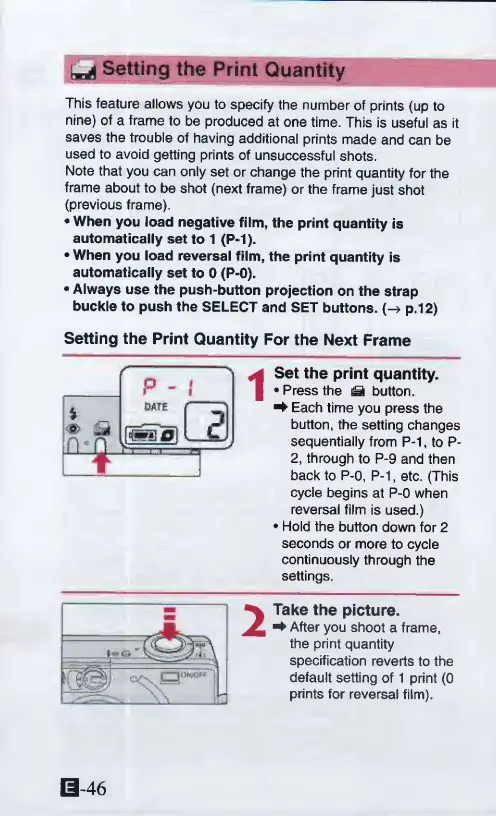
Set
the
print
quantity.
Press
the
^
button.
^
Each
time
you
press
the
button,
the
setting
changes
sequentially
from
P-1,
to
P-
2,
through
to
P-9
and
then
back
to
P-0,
P-1,
etc.
(This
cycle
begins
at
P-0
when
reversal
film
is
used.)
Hold
the
button
down
for
2
seconds
or
more
to
cycle
continuously
through
the
settings.
i
<s>
m
rv
n
r
^
t
.
1
1
2
Take
the
picture.
^
After
you
shoot
a
frame,
the
print
quantity
specification
reverts
to
the
default
setting
of
1
print
(0
prints
for
reversal
film).
0-46

Other manuals for Canon ELPH 2

Related product manuals