EasyManua.ls Logo

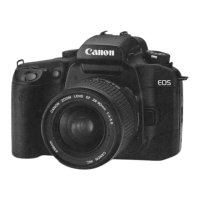
Canon EOS 5000 - AF Auxiliary Light Emitter

Canon EOS 5000
33 pages
Print Icon
To Next Page IconTo Next Page
To Previous Page IconTo Previous Page
Loading...
II. BASIC
OPERATIONS
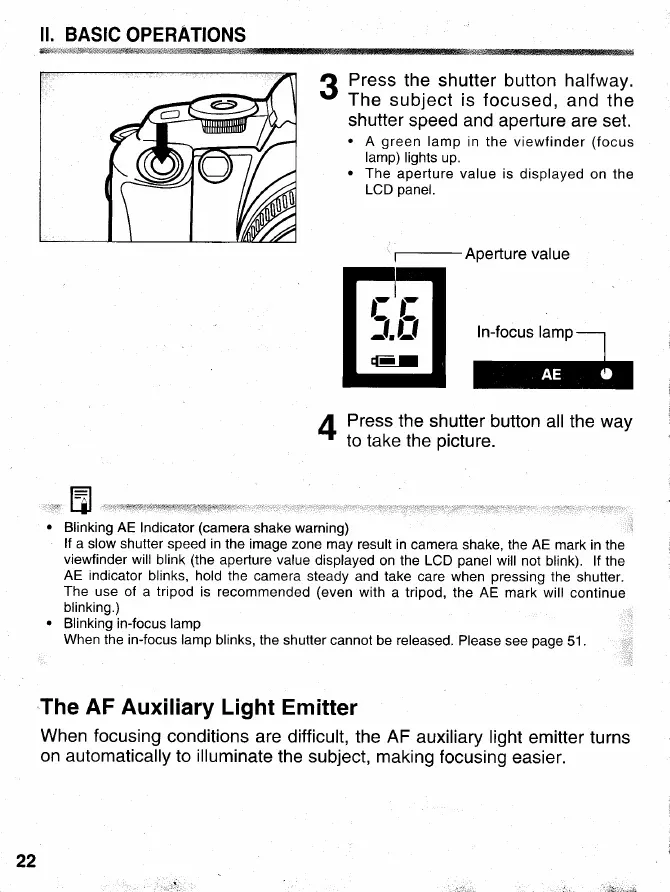
3
Press
the shutter
button halfway.
The
subject is focused,
and the
shutter speed
and aperlure are
set.
.
A
green
lamp
in the viewfinder
(focus
lamp)
lights up.
.
The
aperture value is
displayed on the
LCD
panel.
'f-Aperture
value
In-focus
lamp--1
E
I
Press
the shutter
button all the way
t
to take the
picture.
E
Blinking
AE Indicator
(camera
shake warning)
lf
a slow shutter
speed
in
the image zone
may result in
camera shake,
the
AE
mark in the
viewfinder will
blink
(the
aperture value
displayed
on the LCD
panel
will not blink). lf
the
AE indicator
blinks, hold
the camera
steady and take
care when
pressing
the
shutter.
The use
of a
tripod
is recommended
(even
with
a tripod, the AE
mark will continue
blinking.)
Blinking in-focus lamp
When
the in-focus lamp
blinks, the
shutter cannot be released.
Please see
page
51
.
The AF Auxiliary
Light
Emitter
When focusing
conditions are
difficult, the AF
auxiliary light
emitter turns
on automatically
to
illuminate
the subject, making
focusing
easier.
22
,lii,r;: