EasyManua.ls Logo

Canon EOS 5000 - Page 26

Canon EOS 5000
33 pages
Print Icon
To Next Page IconTo Next Page
To Previous Page IconTo Previous Page
Loading...
LJs;ffi9
ih* ffmrtrr*${
flilt*de
{'ffi
}
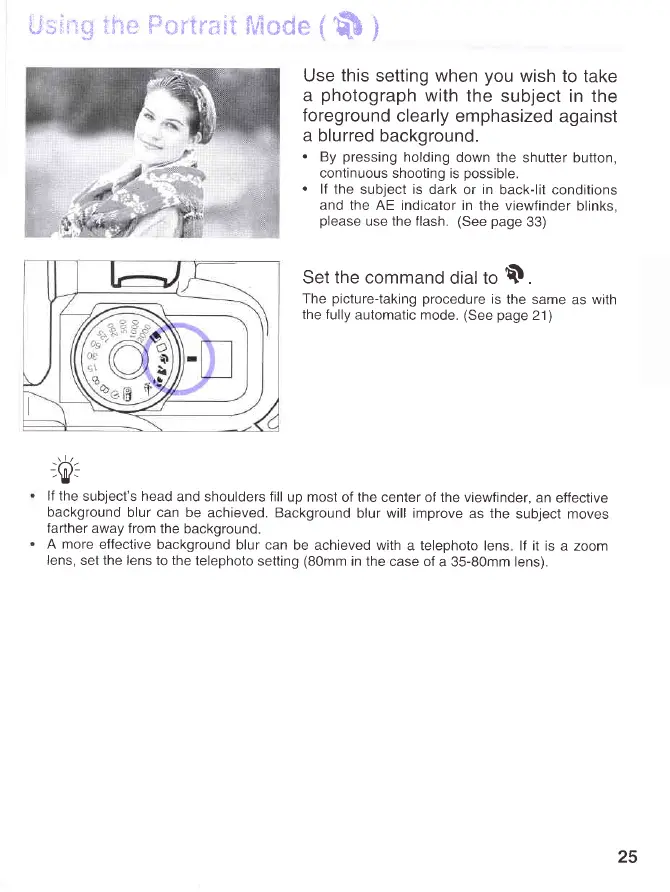
Use
this
setting when
you
wish to
take
a
photograph
with
the
subject in the
foreground
clearly
emphasized
against
a blurred
background.
.
By
pressing
holding
down the
shutter button,
continuous shooting is
possible.
.
lf the
subject is dark
or
in
back-lit conditions
and
the AE indicator in
the viewfinder
blinks,
please
use the flash.
(See page
33)
Set the command
dial to $.
The
picture-taking
procedure
is
the same
as
with
the fully
automatic mode.
(See page
21)
rlr
-0).
lf the
subject's head
and shoulders fill
up most
of
the
center of the viewfinder,
an
effective
background
blur can be
achieved. Background
blur will improve
as the
subject moves
farther
away from
the background.
A more
effective background
blur can
be achieved with
a telephoto lens lf it
is a zoom
lens,
set the lens to the
telephoto
setting
(80mm
in
the case of
a 35-80mm lens).
25
www.orphancameras.com