EasyManua.ls Logo

Canon EOS 5000 - Page 4

Canon EOS 5000
33 pages
Print Icon
To Next Page IconTo Next Page
To Previous Page IconTo Previous Page
Loading...
/\
/\
\_
Maiffiffi;
\
1.
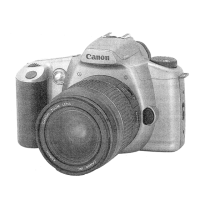
Light-weight
and compact
single
lens
reflex
(SLR)
camera.
2. A wide
auto-focus/AlM" system
\--'
'/
\
.
AIM
(Advanced
Integrated Multi-Point
Control)
AIM is
a system which
automatically sets
the optimum exposure
or
flash
exposure
at
one of the three focusing
points
which
achieved focus within
the wide focus
area.
It
allows anyone to take
good
photos
just
by
composing the
shot and
pressing
the
shutter button.
3. A simple dial
operation which
allows
you
to take
photographs
exactly
as
you
see them
in
the image zone.
4.
Silent operation.
NoteW
.
Your
new EOS
camera can
be used with
any Canon EF lens. These
instructions include
an
explanation of how to mount EF lenses.
.
ln
this instruction
manual,
the
following
symbols
in
note boxes have
the
following
meanings:
()
: lmportant notes
to
prevent
malfunction
or misoperation.
E
:
Camera operation notes
you
should
know
about.
;fil:
:
Useful hints
on camera
operation or shooting.
.
The
(-
see
page
-)
mark indicates
the
page
where
there is more information.
Please
read the related
information
accordingly.
.
In
order to
prevent
faulty
shots
or camera malfunctions,
please
read the
"Precautions"
on
page
6.
+'..9-rrywmffiry
IMPORTANT
INFORMATION
This
camera will
give
optimum
performance
together with
specially designed
Canon EF
'r
lenses, flash
units and
other Canon-brand
accessories. The
use of
incompatible
lenses
or ,i
other accessories
may result in
unsatisfactory
performance
or damage to
your
camera. We
l
therefore
suggest the
use of
Canon EF lenses and
accessories. Damage to
your
Canon
't
camera as
a
result
using incompatible
products
may
void its
warranty.
i
I
3/^
r.g;;.sd$b&d{;
...*,n*;+;al;s&ilE!&r,r*l*ril{*t&S.i*;.
6,Eii&*.r..
,,.#il|t*-e
www.orphancameras.com

Related product manuals