Multiple Exposures
Merging Multiple Exposures with a JPEG Image Recorded on the Card
Checking and Deleting Multiple Exposures During Shooting
As you shoot multiple exposures (2–
9), you can see how the images will be merged into a
single image.
1.
Select [
: Multiple exposure] ( ).
2.
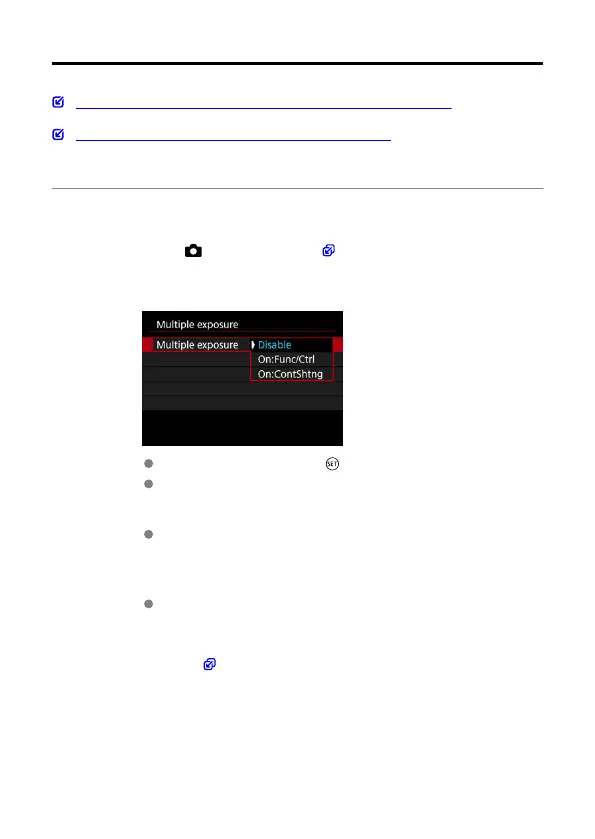
Set [Multiple exposure].
Select an option, then press < >.
To exit shooting multiple exposures, select [Disable].
On:Func/Ctrl
Convenient when reviewing the results of each multiple exposure as
you shoot. Continuous shooting speed is slower with this option.
On:ContShtng
Used for continuous multiple exposures of moving subjects. These
operations are not available during continuous shooting: menu screen
display, image review after capture, image playback, and undo last
image ( ).
Note that the single exposures used for merging are discarded, and
only the multiple-exposure image is saved.
261



 To Next Page