EasyManua.ls Logo

Canon FPD-400D - User Manual

Canon FPD-400D
25 pages
Print Icon
To Next Page IconTo Next Page
Loading...
ご使用の前に必ずこの取扱説明書をお読みください。
なお、取扱説明書は必要に応じてご覧になれるように大切に保管してください。
Read this operation manual before using the product.
Keep the manual in place for future reference.
在使⽤本产品之前 , 请务必先仔细阅读本使⽤说明书
请务必妥善保管好本书 , 以便⽇后能随时查阅
请在充分理解内容的基础上 , 正确使⽤
取扱説明書
OPERATION MANUAL
使⽤说明书
J/E/C
LENS ACCESSORY
镜头配件
FPD-400D
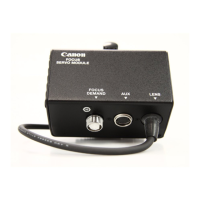
FOCUS DEMAND
电动聚焦控制器
FPM-420D
FOCUS POSITIONAL SERVO MODULE
电动聚焦位置伺服模块
FPD-400DFPM-420DJ-0819.inddi 2010/08/2016:06:19
Question and Answer IconNeed help?

Do you have a question about the Canon FPD-400D and is the answer not in the manual?

Summary

Canon Lens Accessory Operation Manual

Lens Accessory Overview

This manual covers Canon's TV Zoom Lens Accessories, detailing their functions and operations.

Product Models Covered

Identifies the primary products covered: FPD-400D Focus Demand and FPM-420D Focus Positional Servo Module.

FCC Regulations Compliance

Details compliance with FCC Rules Part 15B for Class A digital devices, including operational conditions and interference.

Canadian Radio Interference Regulations

Outlines the apparatus's compliance with Canadian Interference-Causing Equipment Regulations for Class A digital devices.

Manual Introduction and Product Description

Welcomes the user, explains the manual's purpose, and advises reading it for proper operation and future reference.

General Safety Information and Precautions

Product Handling Guidelines

Product Management: Abnormalities, Maintenance, and Storage

Dealing with Product Abnormalities

Provides instructions for handling abnormalities such as smoke, smells, noise, or foreign objects, emphasizing contacting Canon.

Maintenance and Inspection Schedule

Offers guidance on cleaning, periodic inspection, and maintenance intervals for the product.

Product Storage Recommendations

Provides advice on storing the product, including environmental conditions and protection against physical shock or moisture.

Customer Information and Support

§1. Product Configuration Details

§2. Mounting and Connecting Procedures

Mounting for R Type Lenses

Step-by-step instructions for mounting accessories for Canon's digital 'R' and 'R' type lenses.

Focus Servo Module Initial Adjustment

Details the critical initial adjustment process for the focus servo module to set its operational range.

Mounting for A Type Lenses

Step-by-step instructions for mounting accessories for Canon's digital 'A' and 'A' type lenses.

§3. Product Operation Guide

Changing Focus Direction

Explains how to reverse the focus direction by operating a switch on the servo focus demand unit.

Focus Characteristics Curve Selection

Describes the function of the switch for selecting 'STANDARD' or 'FAR' modes for focus movement characteristics.

Technical Documents and Diagrams

§1. FPD-400 D External View

Presents the external view and dimensions for the FPD-400D focus demand accessory.

§1. FPD-400 D Circuit Diagram

Provides the general circuit diagram and cable connections for the FPD-400D focus demand.

§2. FPM-420 D External View

Presents the external view and dimensions for the FPM-420D focus positional servo module.

§2. FPM-420 D Circuit Diagram

Provides the general circuit diagram and cable connections for the FPM-420D focus positional servo module.

Summary

Canon Lens Accessory Operation Manual

Lens Accessory Overview

This manual covers Canon's TV Zoom Lens Accessories, detailing their functions and operations.

Product Models Covered

Identifies the primary products covered: FPD-400D Focus Demand and FPM-420D Focus Positional Servo Module.

FCC Regulations Compliance

Details compliance with FCC Rules Part 15B for Class A digital devices, including operational conditions and interference.

Canadian Radio Interference Regulations

Outlines the apparatus's compliance with Canadian Interference-Causing Equipment Regulations for Class A digital devices.

Manual Introduction and Product Description

Welcomes the user, explains the manual's purpose, and advises reading it for proper operation and future reference.

General Safety Information and Precautions

Product Handling Guidelines

Product Management: Abnormalities, Maintenance, and Storage

Dealing with Product Abnormalities

Provides instructions for handling abnormalities such as smoke, smells, noise, or foreign objects, emphasizing contacting Canon.

Maintenance and Inspection Schedule

Offers guidance on cleaning, periodic inspection, and maintenance intervals for the product.

Product Storage Recommendations

Provides advice on storing the product, including environmental conditions and protection against physical shock or moisture.

Customer Information and Support

§1. Product Configuration Details

§2. Mounting and Connecting Procedures

Mounting for R Type Lenses

Step-by-step instructions for mounting accessories for Canon's digital 'R' and 'R' type lenses.

Focus Servo Module Initial Adjustment

Details the critical initial adjustment process for the focus servo module to set its operational range.

Mounting for A Type Lenses

Step-by-step instructions for mounting accessories for Canon's digital 'A' and 'A' type lenses.

§3. Product Operation Guide

Changing Focus Direction

Explains how to reverse the focus direction by operating a switch on the servo focus demand unit.

Focus Characteristics Curve Selection

Describes the function of the switch for selecting 'STANDARD' or 'FAR' modes for focus movement characteristics.

Technical Documents and Diagrams

§1. FPD-400 D External View

Presents the external view and dimensions for the FPD-400D focus demand accessory.

§1. FPD-400 D Circuit Diagram

Provides the general circuit diagram and cable connections for the FPD-400D focus demand.

§2. FPM-420 D External View

Presents the external view and dimensions for the FPM-420D focus positional servo module.

§2. FPM-420 D Circuit Diagram

Provides the general circuit diagram and cable connections for the FPM-420D focus positional servo module.

Canon FPD-400D Specifications

General IconGeneral
Focal Length400mm
Maximum Aperturef/2.8
Lens MountCanon EF
Angle of View6° 10'
Format CompatibilityFull-frame
Filter Size52mm (Drop-in)

Related product manuals