- 30 -
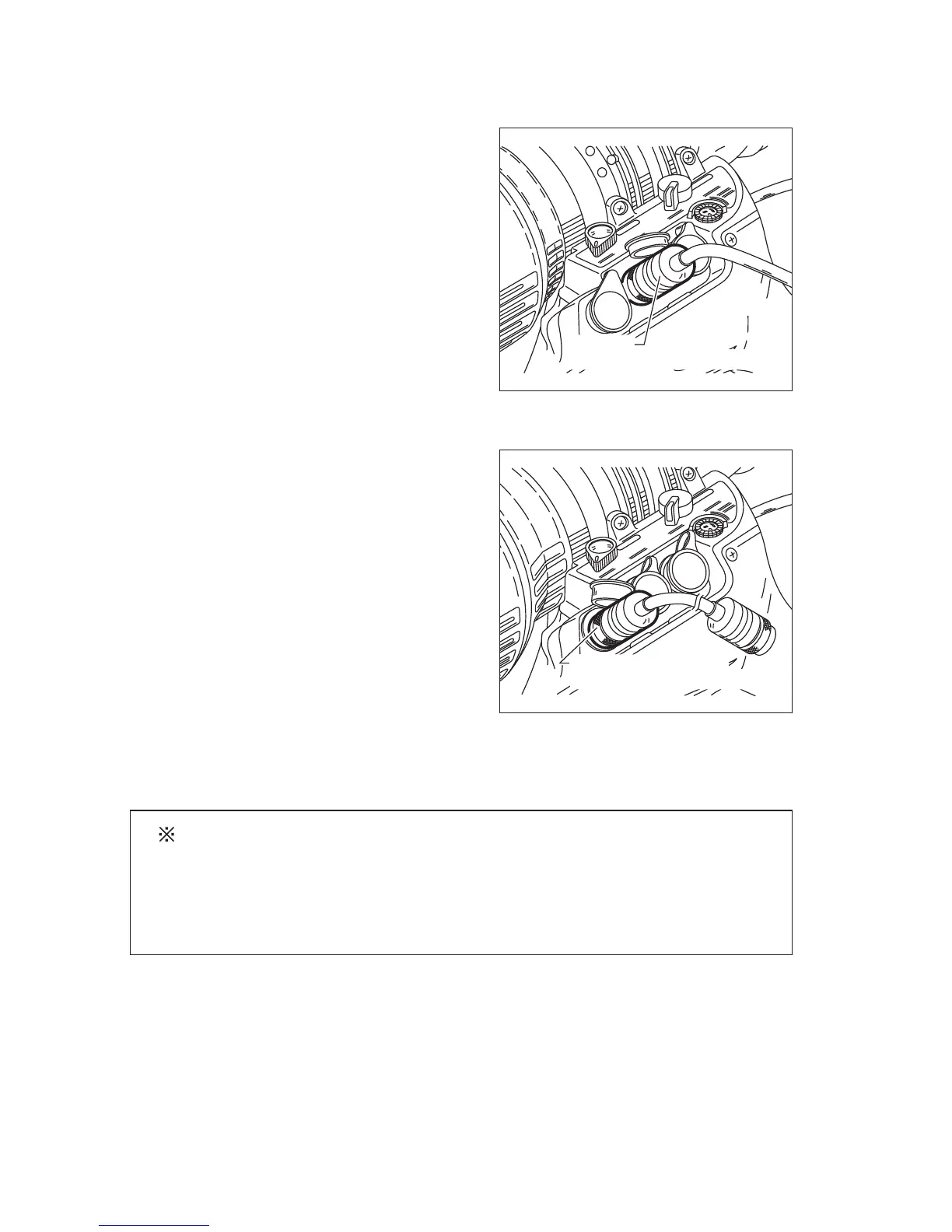
3. To connect the cable from the focus demand
• Digital “A” type lens
Plug the cable from the focus demand
to the zoom remote and focus remote
connector (20-pin) at the bottom of the
lens drive unit.
• “A” type lens
Plug the cable (20-pin) from the focus
demand to the focus remote connector
(6-pin) at the bottom of the lens drive unit
by attaching a conversion connector CC-
0620 (sold separately).
However, note that the focus characteristics
curve selection function (described later)
cannot be used.
(
NOTE) : The focus characteristics curve selection function (described
later) can be used for the “A” type lens if the lens is used
in combination with the focus servo module FPM-420D
and focus demand FPD-400D. Follow the connection
procedure for the “R” type lens.
FOCUS
ZOO
M
Connector
Pig Tail Connector of the Demand
FOCU
S
ZOO
M
Connector CC-0620
Pig Tail Connector of the Demand
Digital “A” type
“A” type




 To Next Page