EasyManua.ls Logo

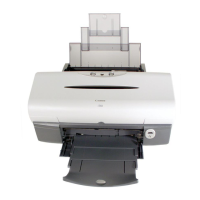
Canon i550 - User Manual

Canon i550
93 pages
Print Icon
To Next Page IconTo Next Page
Loading...
i550 User's Guide
file:////Storage/Canon/Techdoc/20211901_i550_i850_i950/aangeleverde_pdf/i550 User's Guide/i550_UG_ENG.htm [3-10-2002 14:05:56]

Other manuals for Canon i550

Questions and Answers

Summary

How to Use This Manual

How to Read This Manual

Explains manual reading and navigation methods.

Manual Configuration Overview

Describes the manual's three-screen layout: Contents, Menu, Description.

Using The Contents Screen

Details interaction with the contents screen for navigation.

Using The Menu Screen

Explains menu screen navigation for finding information.

Safety Precautions

Choosing a Location for Your Printer

Guidance on selecting an appropriate and safe printer location.

Power Supply Safety

Safe practices for printer power supply and connections.

Printer Cleaning Procedures

Procedures for safe printer cleaning.

Printer Maintenance Guidelines

Advises on printer maintenance and user-serviceable parts.

Printer Parts and Functions

Front View Components

Identifies and describes front printer components.

Operation Panel Functions

Explains operation panel buttons and lamps.

Rear View Ports

Details rear printer ports and connectors.

Inside the Printer Components

Describes internal printer components and levers.

Further Printing Techniques

Printing Photographs with Software

Guides on printing digital photos using software.

Printing Media Guide

Compatible Media Types List

Lists and describes supported paper and media types.

Printing with Envelopes

Instructions for printing on envelopes.

High Resolution Paper HR-101 N

Details on using High Resolution Paper HR-101N.

Glossy Photo Paper GP-301 N;GP-301

Details on using Glossy Photo Paper GP-301N/GP-301.

High Gloss Photo Film HG-201

Details on using High Gloss Photo Film HG-201.

Glossy Photo Cards FM-101

Details on using Glossy Photo Cards FM-101.

Photo Paper Pro PR-101

Details on using Photo Paper Pro PR-101.

Photo Paper Pro PC-101 S

Details on using Photo Paper Pro PC-101S.

Photo Paper Plus Glossy PP-101

Details on using Photo Paper Plus Glossy PP-101.

Matte Photo Paper MP-101

Details on using Matte Photo Paper MP-101.

Transparencies CF-102

Details on using Transparencies CF-102.

T-Shirt Transfers TR-201

Details on using T-Shirt Transfers TR-201.

Banner Paper Printing

Instructions for printing on banner paper.

Printer Status Monitoring

BJ Status Monitor Functions

Explains how to use the BJ Status Monitor for checking printer status.

BJ Backgrounder & Monitor

Details BJ Backgrounder/Monitor functions for job monitoring.

BJ Printer Monitor Overview

Describes the BJ Printer Monitor tool for status display.

BJ Print Monitor for Macintosh

Explains BJ Print Monitor for checking print job progress on Macintosh.

Routine Maintenance Procedures

Replacing Ink Tanks

Guides on replacing ink tanks correctly.

Fixing Faint Colors or Print Quality Issues

Troubleshooting steps for faint or incorrect colors.

Printing the Nozzle Check Pattern

How to print and interpret the nozzle check pattern.

Print Head Cleaning

Procedure for cleaning clogged print head nozzles.

Print Head Deep Cleaning

More powerful method for cleaning print head nozzles.

Print Head Alignment

Aligning the Print Head Correctly

Procedure to align the print head for accurate color registration.

Transporting the Printer Safely

Packing the Printer for Transport

Instructions for safely packing the printer for transport.

Troubleshooting Common Issues

Cannot Install Printer Driver

Steps to resolve issues with printer driver installation.

Poor Print Quality Solutions

Common issues and solutions for poor print quality.

Printer Start;Stop Issues

Troubleshooting for printer startup and print job interruptions.

Paper Feed and Jam Solutions

Solutions for paper feeding issues and jams.

POWER Lamp Error Indicators

Error Codes and Recommended Actions

Explains error codes indicated by POWER lamp flashes and required actions.

On-Screen Error Messages

Port Communication Errors

Addresses errors writing/outputting to printer ports.

Windows Error Messages

General error messages and solutions for Windows.

Macintosh Error Messages

General error messages and solutions for Macintosh.

Windows Specific Problems

BJ Status Monitor Not Displayed

Troubleshooting steps when the BJ Status Monitor is not visible.

Cannot Print in Background (Windows)

Solutions for issues with background printing in Windows.

Cannot Print Normally (Windows)

Troubleshooting steps when normal printing fails.

Macintosh Specific Problems

Jagged Graphics or Banded Gradations

Addresses jagged text/graphics and banded gradations in Macintosh printing.

Cannot Print in Background (Macintosh)

Solutions for background printing issues on Macintosh.

Appendix: Printing Area Details

Understanding Printable Area and Margins

Details the printable area and margins for various paper sizes.

Optimizing Print Speed

Enabling ECP Mode for Faster Printing

Steps to enable ECP mode for faster parallel printing.

Network Printing Setup

Pre-Setup Printer Configuration

Initial setup steps before connecting printer to a network.

Network Printer Setup Procedure

Procedures for setting up the printer for network use.

Client Setup for Network Printing

Steps for setting up client machines to use the network printer.

Checking Network Print Status

How to check print job status on the network.

Uninstalling Printer Software

Uninstalling Windows Drivers

Procedure for uninstalling printer drivers on Windows.

Uninstalling Macintosh Drivers

Procedure for uninstalling printer drivers on Macintosh.

Uninstalling Users Guide

Removing User and Photo Guides

Steps to remove the User's Guide and Photo Application Guide.

Printer Specifications

Printing Specifications

Details on print resolution, speed, width, and quality.

Interface and Environment Specs

Details on interface types and operating/storage environments.

Power, Dimensions, and Weight

Details on power supply, consumption, dimensions, and weight.

Print Head Technical Details

Technical details about the printer's print head.

Index

Summary

How to Use This Manual

How to Read This Manual

Explains manual reading and navigation methods.

Manual Configuration Overview

Describes the manual's three-screen layout: Contents, Menu, Description.

Using The Contents Screen

Details interaction with the contents screen for navigation.

Using The Menu Screen

Explains menu screen navigation for finding information.

Safety Precautions

Choosing a Location for Your Printer

Guidance on selecting an appropriate and safe printer location.

Power Supply Safety

Safe practices for printer power supply and connections.

Printer Cleaning Procedures

Procedures for safe printer cleaning.

Printer Maintenance Guidelines

Advises on printer maintenance and user-serviceable parts.

Printer Parts and Functions

Front View Components

Identifies and describes front printer components.

Operation Panel Functions

Explains operation panel buttons and lamps.

Rear View Ports

Details rear printer ports and connectors.

Inside the Printer Components

Describes internal printer components and levers.

Further Printing Techniques

Printing Photographs with Software

Guides on printing digital photos using software.

Printing Media Guide

Compatible Media Types List

Lists and describes supported paper and media types.

Printing with Envelopes

Instructions for printing on envelopes.

High Resolution Paper HR-101 N

Details on using High Resolution Paper HR-101N.

Glossy Photo Paper GP-301 N;GP-301

Details on using Glossy Photo Paper GP-301N/GP-301.

High Gloss Photo Film HG-201

Details on using High Gloss Photo Film HG-201.

Glossy Photo Cards FM-101

Details on using Glossy Photo Cards FM-101.

Photo Paper Pro PR-101

Details on using Photo Paper Pro PR-101.

Photo Paper Pro PC-101 S

Details on using Photo Paper Pro PC-101S.

Photo Paper Plus Glossy PP-101

Details on using Photo Paper Plus Glossy PP-101.

Matte Photo Paper MP-101

Details on using Matte Photo Paper MP-101.

Transparencies CF-102

Details on using Transparencies CF-102.

T-Shirt Transfers TR-201

Details on using T-Shirt Transfers TR-201.

Banner Paper Printing

Instructions for printing on banner paper.

Printer Status Monitoring

BJ Status Monitor Functions

Explains how to use the BJ Status Monitor for checking printer status.

BJ Backgrounder & Monitor

Details BJ Backgrounder/Monitor functions for job monitoring.

BJ Printer Monitor Overview

Describes the BJ Printer Monitor tool for status display.

BJ Print Monitor for Macintosh

Explains BJ Print Monitor for checking print job progress on Macintosh.

Routine Maintenance Procedures

Replacing Ink Tanks

Guides on replacing ink tanks correctly.

Fixing Faint Colors or Print Quality Issues

Troubleshooting steps for faint or incorrect colors.

Printing the Nozzle Check Pattern

How to print and interpret the nozzle check pattern.

Print Head Cleaning

Procedure for cleaning clogged print head nozzles.

Print Head Deep Cleaning

More powerful method for cleaning print head nozzles.

Print Head Alignment

Aligning the Print Head Correctly

Procedure to align the print head for accurate color registration.

Transporting the Printer Safely

Packing the Printer for Transport

Instructions for safely packing the printer for transport.

Troubleshooting Common Issues

Cannot Install Printer Driver

Steps to resolve issues with printer driver installation.

Poor Print Quality Solutions

Common issues and solutions for poor print quality.

Printer Start;Stop Issues

Troubleshooting for printer startup and print job interruptions.

Paper Feed and Jam Solutions

Solutions for paper feeding issues and jams.

POWER Lamp Error Indicators

Error Codes and Recommended Actions

Explains error codes indicated by POWER lamp flashes and required actions.

On-Screen Error Messages

Port Communication Errors

Addresses errors writing/outputting to printer ports.

Windows Error Messages

General error messages and solutions for Windows.

Macintosh Error Messages

General error messages and solutions for Macintosh.

Windows Specific Problems

BJ Status Monitor Not Displayed

Troubleshooting steps when the BJ Status Monitor is not visible.

Cannot Print in Background (Windows)

Solutions for issues with background printing in Windows.

Cannot Print Normally (Windows)

Troubleshooting steps when normal printing fails.

Macintosh Specific Problems

Jagged Graphics or Banded Gradations

Addresses jagged text/graphics and banded gradations in Macintosh printing.

Cannot Print in Background (Macintosh)

Solutions for background printing issues on Macintosh.

Appendix: Printing Area Details

Understanding Printable Area and Margins

Details the printable area and margins for various paper sizes.

Optimizing Print Speed

Enabling ECP Mode for Faster Printing

Steps to enable ECP mode for faster parallel printing.

Network Printing Setup

Pre-Setup Printer Configuration

Initial setup steps before connecting printer to a network.

Network Printer Setup Procedure

Procedures for setting up the printer for network use.

Client Setup for Network Printing

Steps for setting up client machines to use the network printer.

Checking Network Print Status

How to check print job status on the network.

Uninstalling Printer Software

Uninstalling Windows Drivers

Procedure for uninstalling printer drivers on Windows.

Uninstalling Macintosh Drivers

Procedure for uninstalling printer drivers on Macintosh.

Uninstalling Users Guide

Removing User and Photo Guides

Steps to remove the User's Guide and Photo Application Guide.

Printer Specifications

Printing Specifications

Details on print resolution, speed, width, and quality.

Interface and Environment Specs

Details on interface types and operating/storage environments.

Power, Dimensions, and Weight

Details on power supply, consumption, dimensions, and weight.

Print Head Technical Details

Technical details about the printer's print head.

Index

Canon i550 Specifications

General IconGeneral
TypeInkjet Printer
Print Resolution4800 x 1200 dpi
Max Resolution (BW)600 x 600 dpi
Print Speed (Color)12 ppm
ConnectivityUSB
Weight5.5 kg
Input Paper Capacity100 sheets
Paper SizeA4, Letter, Legal, Envelopes
Ink Droplet Size5 picoliters
Operating System CompatibilityWindows, Mac OS

Related product manuals