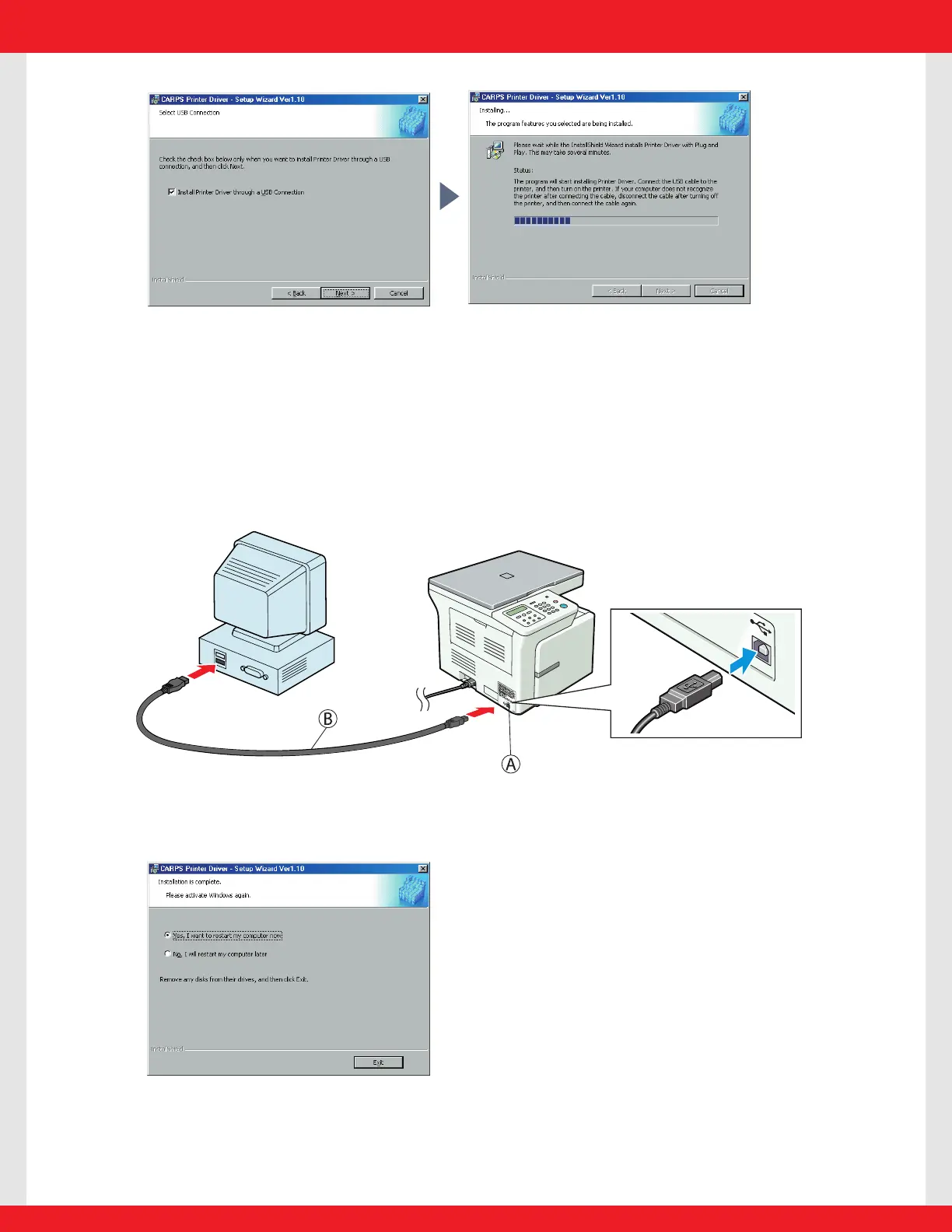
6 Check Install Printer Driver through a USB Connection, then click Next> .
When the screen (on the upper right) appears, follow the procedure below.
6-1 Remove the transparent USB label A .
6-2 Connect the USB cable B to the machine and computer.
The program will start installing the Printer Driver automatically.
7 When the following screen appears, select Ye s, I want to restart my computer now.
Then click Exit.














 To Next Page