1
2
3
4
5
6
7
1
1 2 3
OFF
2 3 4
21 3
1
5
9
12
16 17
13 14 15
10 11
6 7 8
2 3 4
1 2
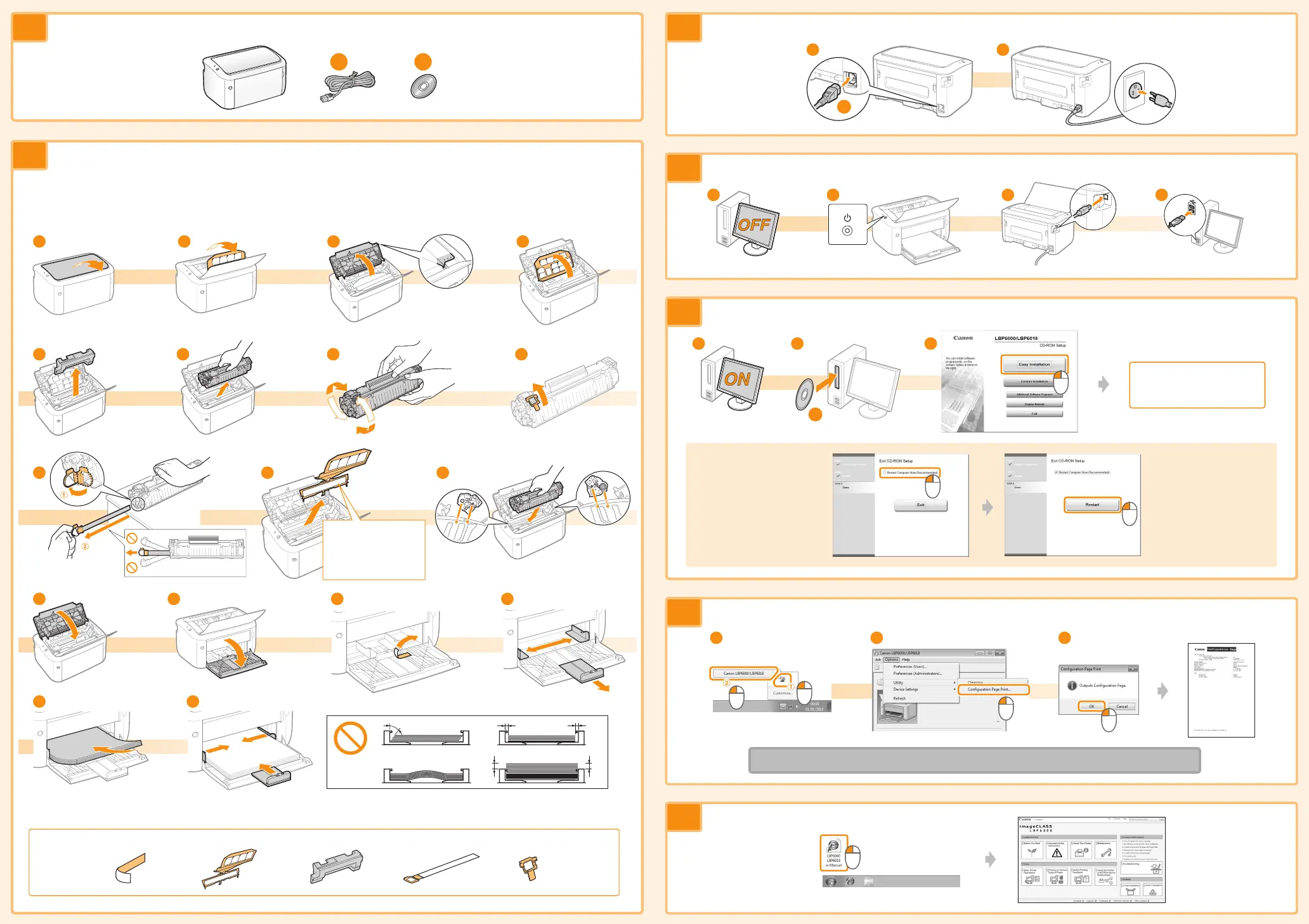
This part (a plastic part
attached to the end of
paper) is also a packing
material. Be sure to
remove it.
Confirm the supplied accessories.
Remove the packing materials, and then load paper.
Check!
Did you remove all the packing materials?
Connect the power cord.
Connect the printer and computer.
Install the driver.
Restart your computer.
Follow the instructions
on the screen.
Check the operation.
Setup finished.
Next, see the e-Manual.
* The packing materials may be changed in form or placement, or may be added or removed without notice.
Remove all the orange packing materials such as tape.














 To Previous Page