6
1
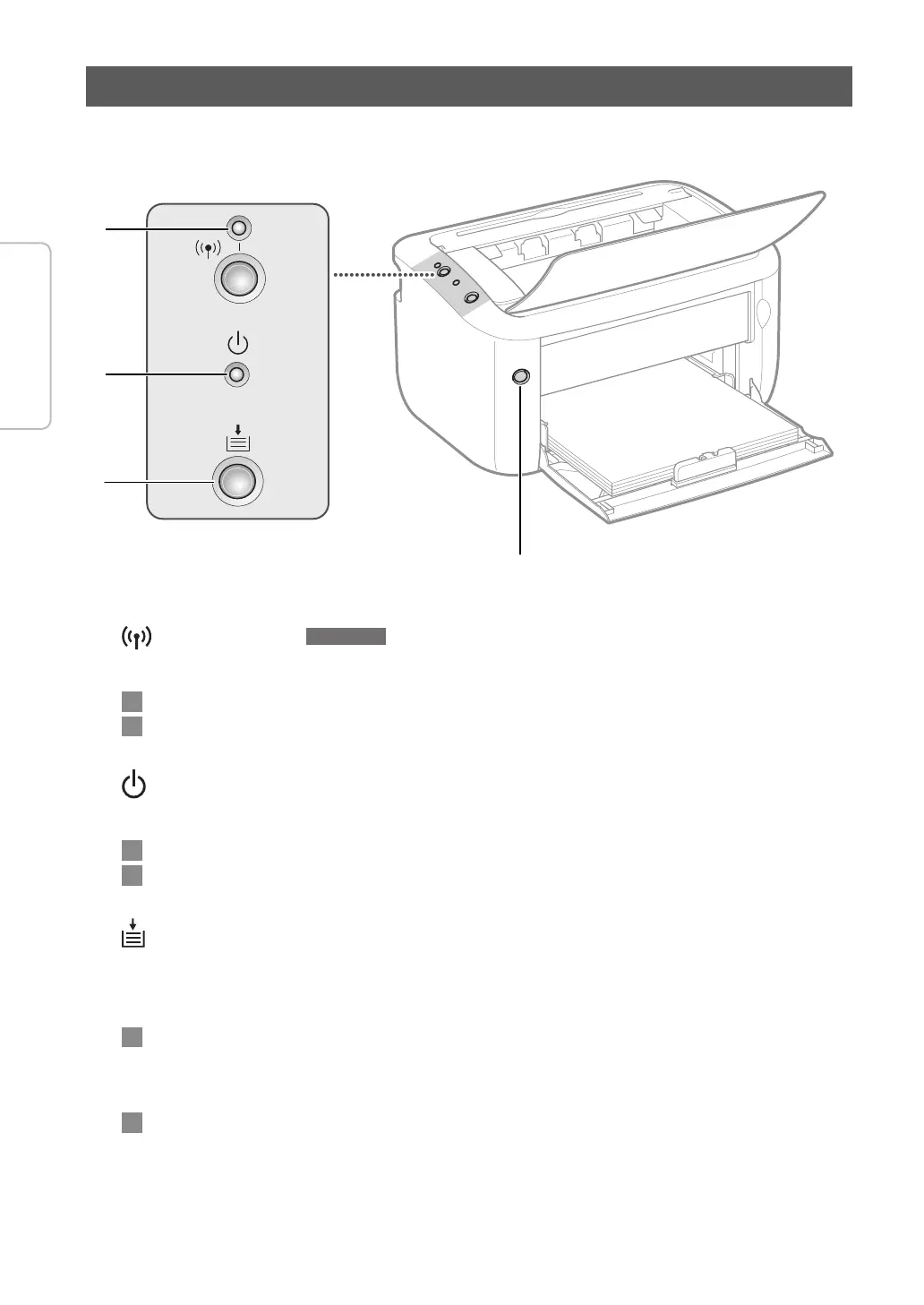
(Wi-Fi) indicator
LBP6030w
Lights up when the machine is connected to a wireless LAN.
Es
Se ilumina cuando el equipo está conectado a una r
ed inalámbrica.
Pt
Acende quando a máquina está conec
tada a LAN sem os.
2
(Power) indicator
Lights up when the machine is powered ON.
Es
Se ilumina cuando el equipo está encendido.
Pt
Acende quando a máquina é LIGAD
A.
3
(Paper) indicator / key
Flashes when the machine is out of paper, when the paper is the wrong size, and after other errors when the
paper needs to be checked. Reset the paper and press the key to restart printing. You can also use this key to print
a list of network settings (with the machine ready to print, press the key and hold it down for 3 seconds).
Es
Parpadea cuando el equipo no tiene papel, cuando el tamaño de éste no es el correcto y al producirse otros
err
ores si es preciso inspeccionar el papel. Vuelva a colocar el papel y pulse la tecla para reanudar la impresión.
Con esta tecla también puede imprimir una lista de opciones de red (con el equipo preparado para imprimir,
pulse la tecla sin soltarla durante tres segundos).
Pt
Pisca quando a máquina está sem papel, quando o papel é do tamanho errado e após outros erros quando
o papel precisa ser v
eri cado. Reponha o papel e pressione a tecla para reiniciar a impressão. Você também
pode usar esta tecla para imprimir uma lista das con gurações de rede (com a máquina pronta para imprimir,
pressione e segure a tecla por 3 segundos).
Indicators
1
2
3
Operation
Use the power switch to turn the power ON and OFF.













 To Next Page