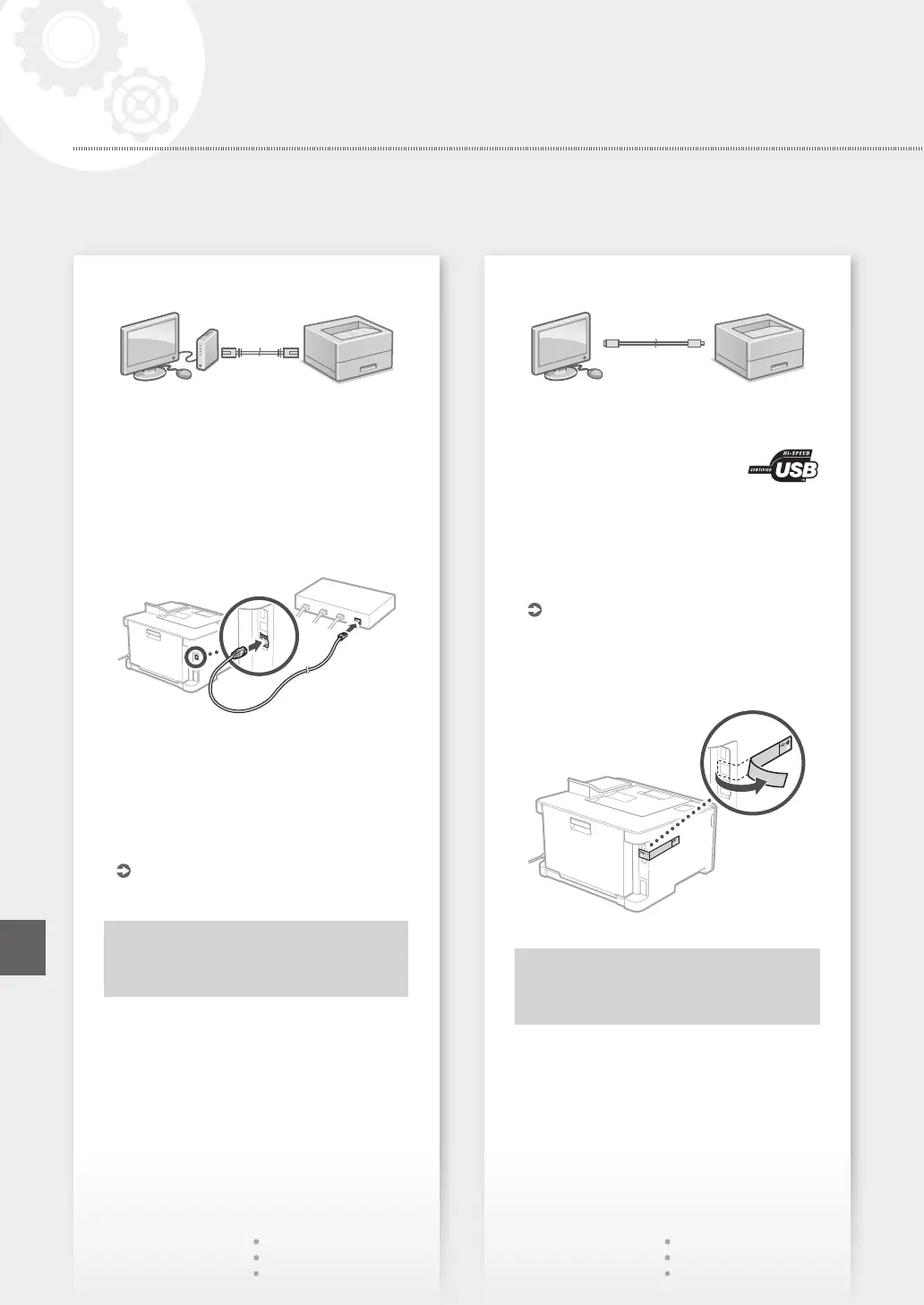
To connect via wired LAN
The machine does not come with a LAN cable.
Please have one ready, if necessary.
1.
Make sure that the computer is connected to a
router properly.
2.
Check the network settings on the computer.
3.
Connect the LAN cable.
• After connecting the cable, wait a few minutes
(until the IP address is set automatically).
• If a static IP address has been set on the
computer, set the machine's IP address
manually.
4.
Install the driver and software.
P.9 "Installing the software"
Now you are finished with the
configuration of the initial settings.
To connect via USB
• The machine does not come with a USB cable.
Please have one ready, if necessary.
• Make sure that the USB cable you
use has the following mark.
• Do not connect the USB cable before installing
the driver. If you did, disconnect the USB cable
from the computer, close the dialog box, and then
perform the following procedure from step 1.
1.
Install the driver and software.
P.9 "Installing the software"
• When a screen with instructions for connecting
the USB cable to the machine is displayed,
remove the sticker that covers the USB port.
Now you are finished with the
configuration of the initial settings.
8
Configuring the Machine
Quick Setup
En














 To Next Page