- You can use only the paper printed with this machine.
- You cannot print on the side that has previously been printed on.
- If the printouts look faded, set the target paper source to <On> in <Manual Back Side Print (2-Sided Only)>.
<Manual Back Side Print (2-Sided Only)>(P. 472)
- If you are using A5 size paper, the reverse side may not be printed correctly.
Loading Custom Size Paper
To load custom size paper or other paper whose size is not found in the paper size markings on the paper drawer, use
the following procedure.
1
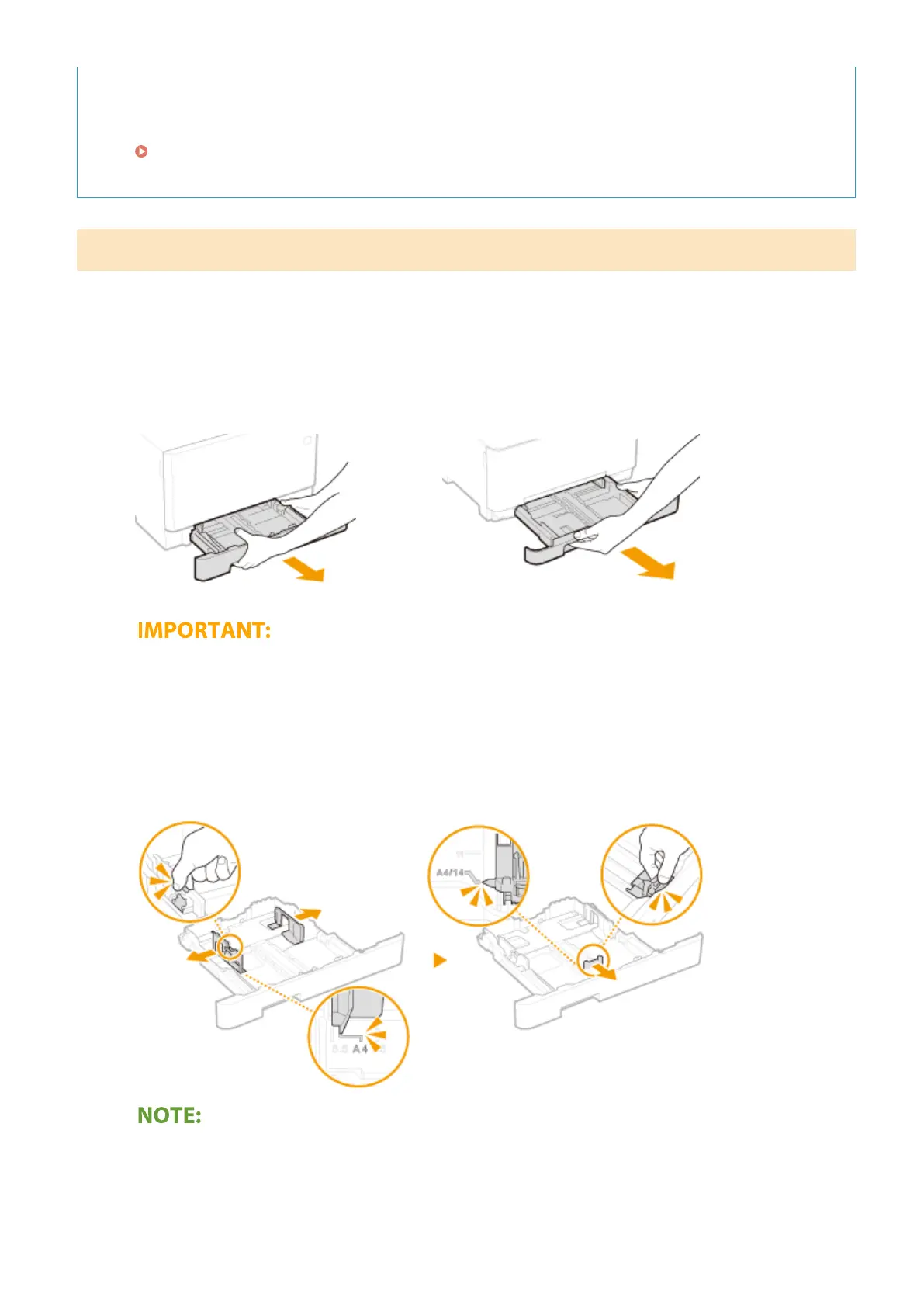
Pull out the paper drawer.
MF735Cdw / MF733Cdw / MF731Cdw
MF634Cdw / MF632Cdw
● Make sure to hold the paper drawer with both hands, and pull it out gently. Otherwise, you may damage
the paper drawer by dropping it, if it slides out too easily.
2
Spread the paper guides apart.
● Press the lock release lever to slide the paper guides outward. On the MF634Cdw / MF632Cdw, there is no
lock release lever for the side paper guides.
When loading longer paper than A4 size
● Press the lock release lever, and extend the paper drawer.
Basic Operations
145








 To Next Page