
 Need help?
Do you have a question about the Canon imageCLASS X MF1643iF II and is the answer not in the manual?
Perform initial machine setup by following on-screen instructions when turning on the machine for the first time.
Configure basic security settings to prevent unauthorized access to the machine.
Configure network settings to connect the machine to a network, checking computer and router connection.
Follow the step-by-step procedure to configure fax settings for the machine.
Choose the receive mode that best suits your telephone connection and call receiving preferences.
 General
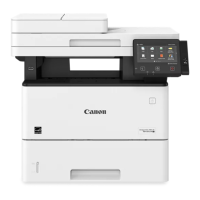
| Product Type | Multifunction Printer |
|---|---|
| Functions | Print, Copy, Scan, Fax |
| Print Resolution | Up to 600 x 600 dpi |
| Automatic Duplex Printing | Yes |
| Copy Resolution | Up to 600 x 600 dpi |
| Print Technology | Laser |
| Connectivity | USB, Ethernet, Wi-Fi |
| Display | 5-inch color touchscreen |
| Scanner Type | ADF |
| Scan Resolution | Up to 600 x 600 dpi |
| Operating System Compatibility | Windows, macOS, Linux |
| Mobile Printing | Canon PRINT Business, AirPrint, Mopria |











 To Next Page