Not Business As Usual
Growing demand for point-of-purchase displays, signage,
trade show graphics, and banners means that there has
never been a better time for large-format printing. In
today’s ever-changing business environment, it’s no longer
good enough to just “keep up with the competition.” The
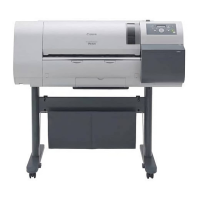
imagePROGRAF W6400/W8400 printing solutions are the
next step in the evolution of large-format printing. Canon has
created a versatile system that’s loaded with robust soft-
ware applications and is simple and efficient to operate.
This workflow solution provides the tools necessary to create,
process, and print large-format output.
Improve Productivity Across Your Workflow
Canon has integrated into the imagePROGRAF printers the
latest technological advances in both hardware and soft-
ware, far exceeding today’s expectations. With Canon’s
proprietary 7,680-nozzle, one-inch print head with FINE
technology, a new high-speed controller, and a collection of
software programs, the ability to create, process, and print
has never been easier or more affordable.
Doing a Job Right the First Time–Every Time
Creating accurate prints from various PostScript software
applications is now a part of the imagePROGRAF solution.
Canon has included PhotoPRINT Select, a software RIP
with Adobe PostScript 3 support, and features such as ICC
profile color matching and a PANTONE
®
color library to
produce prints that are faithful to the original. Processing
and printing are made simple with six configurable print
queues.
FOR LARGE-FORMAT PRINTERS, CAPABILITY MEANS OPPORTUNITY


 To Next Page
 Loading...












