The Black FINE Cartridge should be installed into the left slot (B) and the Color FINE Cartridge should be
installed into the right slot (C).
(14)
FINE Cartridges (Ink Cartridges)
replaceable cartridge that is integrated with Print Head and ink tank.
Note
For details on installing the FINE Cartridges, refer to the printed manual:
Getting Started.
Important
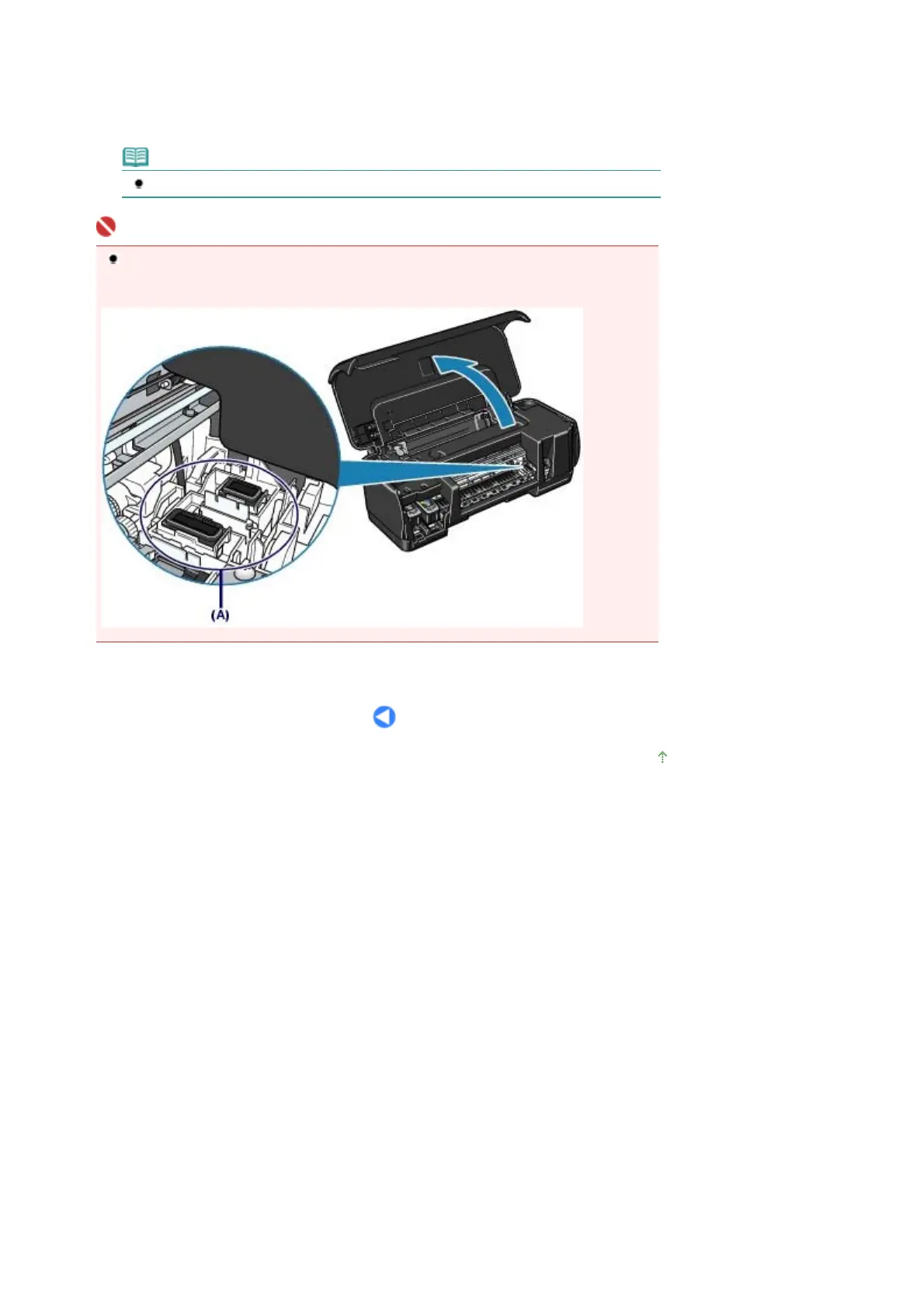
The area (A) indicated in the figure below may be splattered with ink. It does not affect the
performance of the printer.
Do not touch the area (A). The printer may not print out properly if you touch it.
Page top
Стр. 6 из 342 стр.Main Components











 To Next Page