2
1 2 3 4 5 6 87
En
Fr
De
It
Es
Ca
Eu
Pt
El
Da
Nl
No
Sv
Fi
Ru
Uk
Lv
Lt
Et
Pl
Cs
Sk
Sl
Hr
Hu
Ro
Bg
Tr
Ar
Fa
Unless otherwise stated, illustrations used in this
document are for the LBP633Cdw.
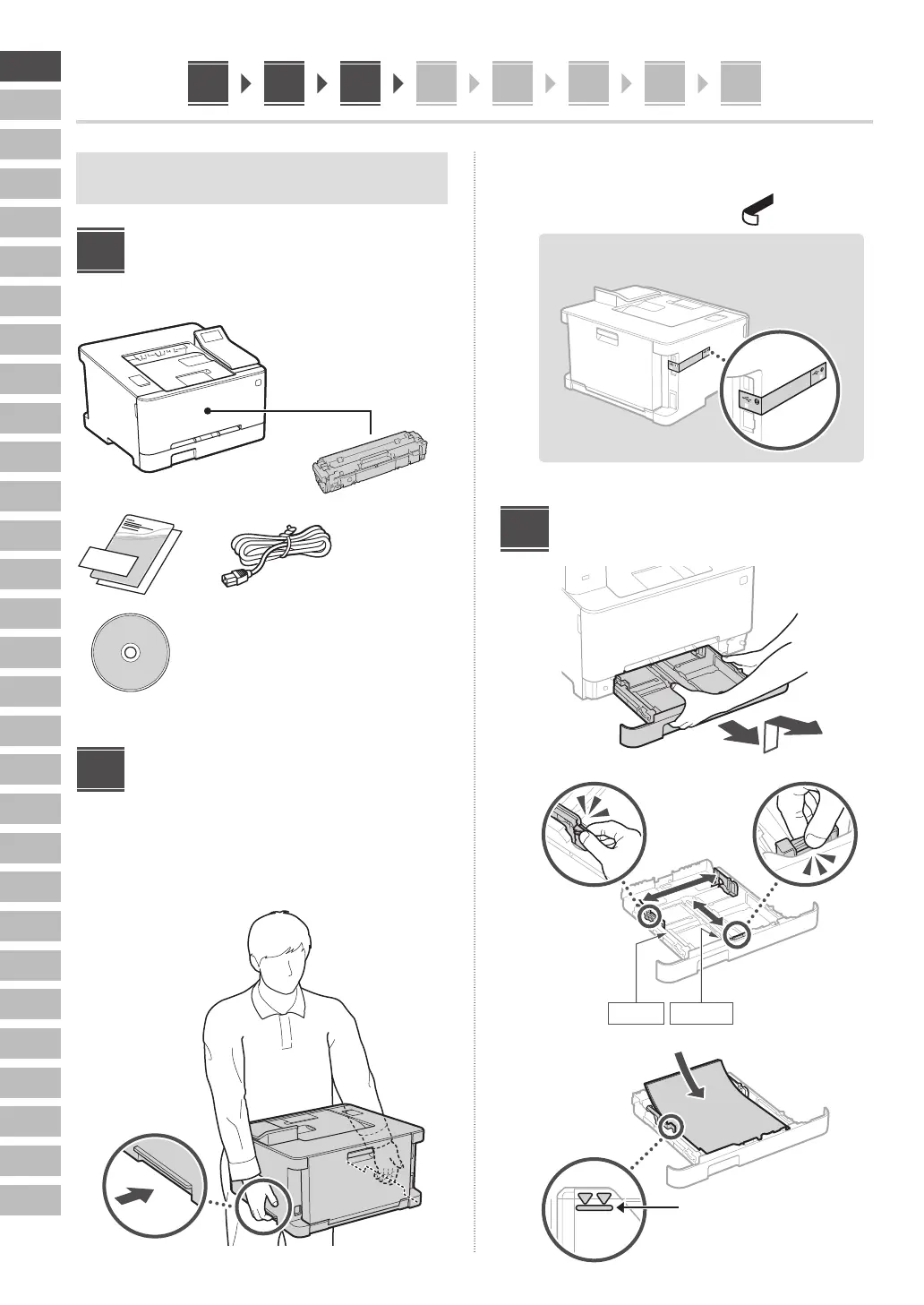
Checking the Items
Included
× 4
Removing the Packing
Material
1. Install the machine in the location where it
will be used.
2. Remove all packing material.
Remove all of the tape.
Do not remove the sticker that covers the USB
port until you actually use the USB port.
Loading Paper
1.
2.
A4/A5
A4/LGL
3.
Ensure that the amount of paper
loaded is not above this line
1
2
3














 To Next Page