En
Fr
De
It
Es
Ca
Eu
Pt
El
Da
Nl
No
Sv
Fi
Ru
Uk
Lv
Lt
Et
Pl
Cs
Sk
Sl
Hr
Hu
Ro
Bg
Tr
Ar
Fa
4
1 2 3 4 5 6 87
2. To configure the settings, select <Yes> on
the operation panel.
3. Select the network with a matching SSID.
4. Enter the password (network key) and select
<Apply>.
5. Select <Yes> to connect using the selected
settings.
Select <No> to return to the previous screen.
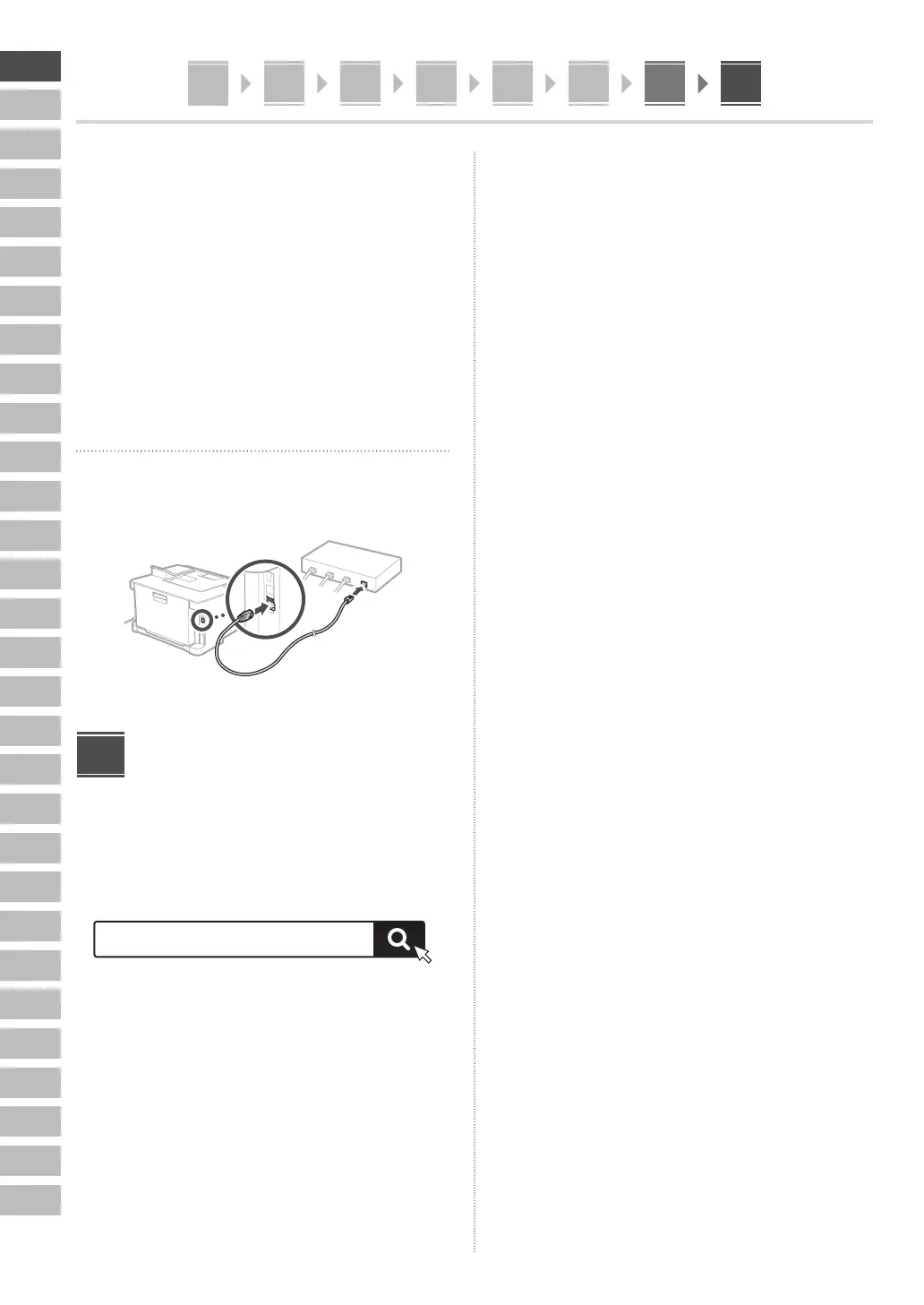
Wired LAN
Connect the router to the machine with a LAN cable and
then select <No> in the screen for choosing how to
connect to the network.
Installing the Software/
Drivers
Install the software and drivers from the CD/DVD-ROM
included, or visit the URL below and download them from
the Canon website for your country/region.
https://global.canon/en/support/
Example: LBP633Cdw download
XXXXXXX download
8














 To Next Page