Next, proceed to configure the machine.
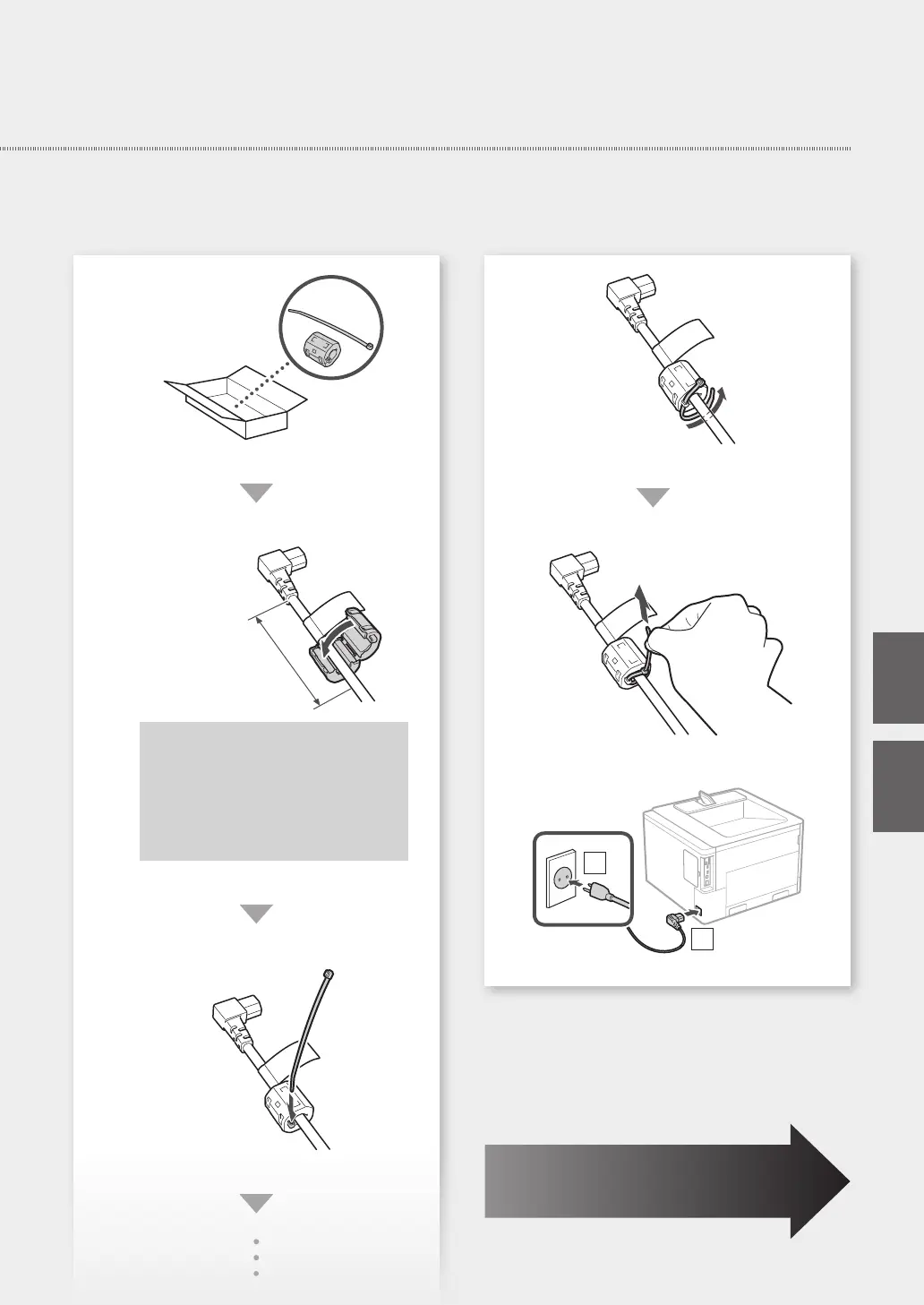
Within approx. 80 mm
• Be sure to attach the ferrite core to the
power cord in the position shown in
the illustration.
• When attaching the ferrite core, take
care that the power cord label is not
caught inside the ferrite core.
10
1
2
9
Quick Setup
En
He


 To Next Page