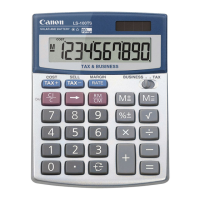
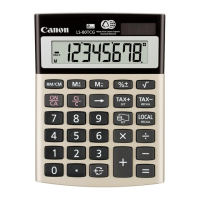
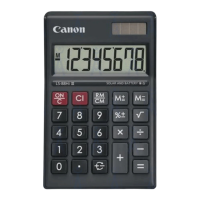
POWER SUPPLY
This calculator comes with a dual power source. The duration of
alkaline battery depends entirely on individual usage. When the
battery is exhausted, you can still use the solar cell to power the
calculator.
(Note: Do not attempt to change the battery by yourself. Have a
Canon Service Center change the battery for you).
AUTOMATIC POWER-OFF FUNCTION
When the power is turned "ON" and none of the keys are pressed
for more than 7 minutes, the calculator turns off automatically to
save power. Press key to restart the calculator. "0" will appear
on the display.
Electromagnetic interference or electrostatic discharge may
cause the display to malfunction or the contents of the memory
to be lost or altered. Should this occur, use the tip
of a ball point pen (or similar sharp object)
to press the [RESET] button on the back
of the calculator. After resetting, be sure to
set the tax rate again.
KEY INDEX
Power on / Clear All Key: Used for turning the calculator
on. It is also used or clearing all data, including memory
contents.
Right Shift Key: Used for shifting and correcting an entered
numeral. A single press deletes the last digit on the right.
Sign Change Key: Used for changing the sign (+ or –) of
the displayed numbers.
Square Root Key: Used for performing square root
calculations.
Percent Plus-Minus Key: Used for performing percentage,
add-on and discount calculations.
Recall / Clear Memory Key: A double function key. Press
once to recall the memory contents. Press the key
successively to clear the memory contents.
Memory Plus Equal Key: Used for obtaining a calculation
result and adding the result automatically to the memory.
This key is also used for adding number to the memory.
Memory Minus Equal Key: Used for obtaining a calculation
result and subtracting the result automatically from the
memory. This key is also used for subtracting a number from
the memory.
Grand total Key: The totals are accumulated in the grand
total memory. Press to get the grand total. Press
successively to clear the grand total memory
COST-SELL-MARGIN CALCULATION
– Used for calculating the cost, selling price
and profit margin amount. Enter the value of any 2 items to
obtain the balance value item. (e.g. enter the value of the
cost and the selling price to obtain the profit margin.)
TAX CALCULATION
Store the Tax Rate: Enter the tax rate figure, then
press to store.
Recall the Tax Rate: Press to recall the
current tax rate.
Add Tax Key: Used for adding the tax amount to the
displayed figure.
Deduct Tax Key: Used for deducting the tax amount
from the displayed figure.
SPECIFICATION
Power Source: Solar cell and Alkaline battery (CR2032 X 1)
Usable Temperature : 0˚C to 40˚C (32˚F to 104˚F)
Dimensions: 107.5mm (W) x 148mm (L) x 31mm (H)
4-15/64" (W) x 5-53/64" (L) x 1-15/64" (H)
Weight: 132g (4.7 oz)
(Subject to change without notice)
For CA, USA Only
Included battery contains perchlorate material - special handling
may apply.
See http://www.dtsc.ca.gov/hazardouswaste/perchlorate/ for detail.
1) 123456789x78900
123456789
78900
(
E
9.74074065210
)
=9740740652100 (
9.74074065210
)
(ERROR)
2) 999999999999
(Add to Memory)
999999999999 (
M
999'999'999'999
.)
123
(Add to Memory)
123 (
M
1.00000000012
)
(
M
1.00000000012
)
(
999'999'999'999
.)
3) 6÷0=0 6 0 (
E
0.)
(ERROR)
( 0.)
4) 999999999999 999999999999 (
999'999'999'999
.)
(e.g. Tax rate 5%) (
E
1.04999999999
)
(
1.04999999999
)
( 0.)
500x3= 1,500 500 3 (
GT
1'500.)
100x2= 200 100 2 (
GT
200.)
+) 60x3= 180 60 3 (
GT
180.)
1,880 (Grant Total) (
GT
1'880.)
(Clear Grand Total) ( 1'880.)
LS-120TS
( 0.)
3x4= 12 3 4 (
M
12.)
–) 6÷0.2= 30 6 2 (
M
30.)
–18 (
M
–18.)
+) 200 200 (
M
200.)
182 (Recall Memory) (
M
182.)
(Clear Memory) ( 182.)
Square Root
3 = 1.73205080756 3 (
1.73205080756
)
Memory
Constant
2+3=5 2 3 ( 5.)
4+3=7 4 ( 7.)
1–2=–1 1 2 ( –1.)
2–2=0 2 ( 0.)
2x3=6 2 3 ( 6.)
2x4=8 4 ( 8.)
6÷3=2 6 3 ( 2.)
9÷3=3 9 ( 3.)
Percentage
1200x =144 1200 12 ( 144.)
1200x =180 15 ( 180.)
1200+(1200x20%)=1,440 1200 20 ( 1'440.)
1200–(1200x20%)=960 1200 20 ( 960.)
12
100
15
100
Power, Fraction
3
4
=81 3 ( 81.)
1/5=0.2 5 ( 0.2)
1/(2x3+4)=0.1 2 3 4 ( 0.1)
CALCULATION OPERATION DISPLAY
CALCULATION OPERATION DISPLAY
Mixed
( 0.)
140–35+22=127 140 35 22 ( 127.)
2x 2 3=6 2 2 3 ( 6.)
–7x9 9 =–63 7 99 ( –63.)
(2+4)÷3x8.1=16.2 2 4 3
8 1 ( 16.2)
+
-
CI/C
CI/C
CI/C
CI/C
CI/C
Tax Rate Set
Tax Rate = 5% 5 (
TAX%
5.)
Recall Tax Rate (
TAX%
5.)
Add the Tax Amount
Price $2,000 without tax 2000 ( 2'000.)
Selling price with tax? ($2,100) (
TAX+
2'100.)
Tax amount? = ($100) (
TAX
100.)
Deduct Tax Amount
Selling price $3,150 with tax
3150 ( 3'150.)
Price without tax ? ($3,000)
(
TAX–
3'000.)
Tax amount? = ($150) (
TAX
150.)
Calculating Cost
Selling Price : $2,000 2000 (
SELL
2'000.)
Profit Margin : 30% 30
(
COST
1'400.)
Cost =? ($1,400)
Calculating Selling Price
Cost : $1,500 1500
(
COST
1'500.)
Profit Margin : 20% 20
(
SELL
1'875.)
Selling Price=? ($1,875)
Calculating Profit Margin
Cost : $1,500 1500
(
COST
1'500.)
Selling Price : $2,000 2000
(
MARGIN%
25.)
Profit Margin =? (25%)
Business
Tax
Overflow
Grand total
GT
GT
SET SET
RECALL
E
ENGLISHENGLISH
+
-
SET
RECALL
SET
RECALL
+
-
SET
RECALL
SET
RECALL
TAX+
PUB E-IM-2206

 Need help?
 General

 To Next Page