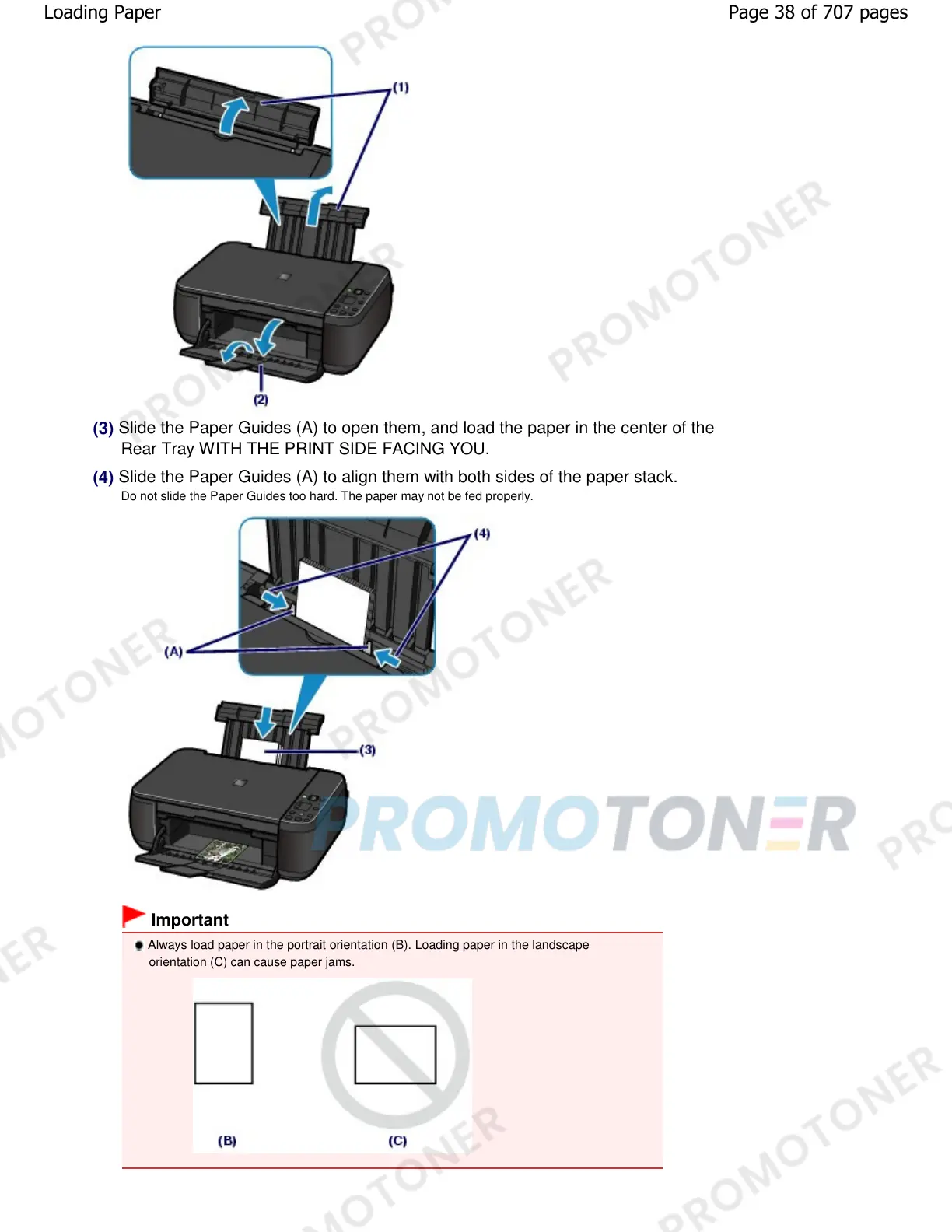
(3)
Slide the Paper Guides (A) to open them, and load the paper in the center of the
Rear Tray WITH THE PRINT SIDE FACING YOU.
(4)
Slide the Paper Guides (A) to align them with both sides of the paper stack.
Do not slide the Paper Guides too hard. The paper may not be fed properly.
Important
Always load paper in the portrait orientation (B). Loading paper in the landscape
orientation (C) can cause paper jams.
Page 38 of 707 pagesLoading Paper










 To Next Page