Note
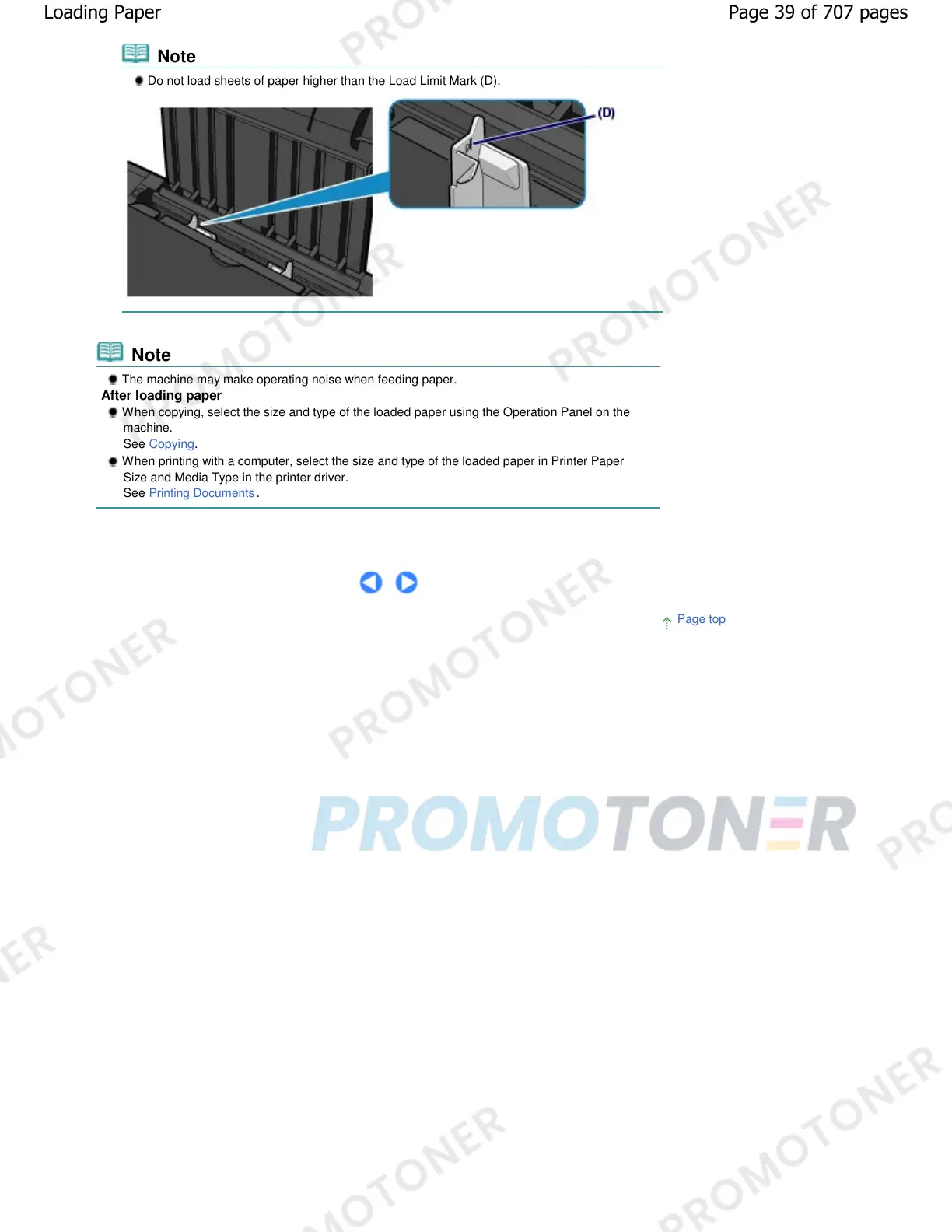
Do not load sheets of paper higher than the Load Limit Mark (D).
Note
The machine may make operating noise when feeding paper.
After loading paper
When copying, select the size and type of the loaded paper using the Operation Panel on the
machine.
See Copying.
When printing with a computer, select the size and type of the loaded paper in Printer Paper
Size and Media Type in the printer driver.
See
Printing Documents
.
Page top
Page 39 of 707 pagesLoading Paper










 To Next Page