7
Non-Contact Displacement Sensor User’s Manual Rev 1.00
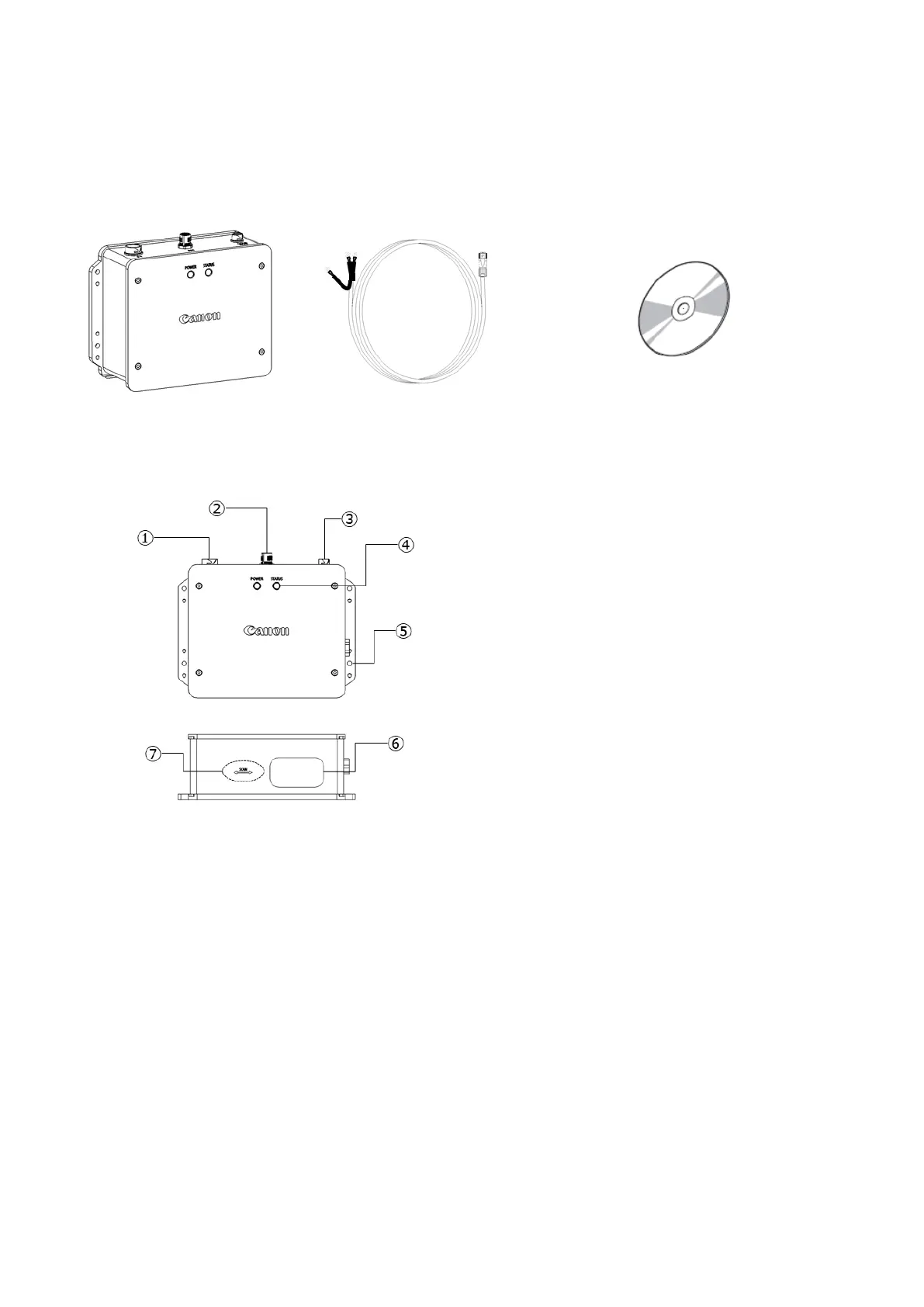
1-2. Accessories
The following shows the standard configuration. Before use, please confirm that all the following items are included.
For optional items, see section 4-3.
1-3. Names and Functions of Parts
Main unit
① I/O connector
When using control devices such as a programmable controller, connect the optional I/O cable (AM4-0085).
If you do not use the I/O cable and the location requires waterproofing, attach the I/O cap (that comes with the
optional USB cable kit).
② USB connector
When using the Non-Contact Displacement Sensor software on a computer, connect the USB cable.
[USB cable specifications]
USB2.0 Full Speed (Compatible with USB1.0)/Connector shape: mini USB mini-B
If the location requires waterproofing, use the optional USB cable (AM4-0087).
If you do not use the USB cable and the location requires waterproofing, attach the USB cap (that comes with
the optional I/O cable kit).


 To Next Page