XXXXXXXX ©CANON INC.2011
(Color/Black)
tape
(FINE Cartridges) FINE
(Setup CD-ROM
USB
USB
.(ON
Windows
Microsoft Corporation
Windows Vista
Microsoft Corporation
Mac OSMacMacintosh
Apple Inc.
•
•
•
K10371 (MG2140)
Front Cover
.(
Paper Output Tray
.(orange tape
Paper
.(
Output Cover
Paper Output
.(
Cover
LED0 < 4 < E
(ON
.2
Retirez la bande.
Cartouches FINE
Un câble USB (non fourni) est
nécessaire.
Ne branchez pas encore le câble USB.
Appuyez sur le bouton MARCHE
(ON)
.
Démarrage
À lire en premier !
Conservez ce document à portée de
ultérieurement.
Corporation aux États-Unis et/ou dans
Corporation aux États-Unis et/ou dans
Macintosh, Mac et Mac OS sont des
•
•
•
Pour procéder à l'installation, placez la machine à proximité
de l'ordinateur.
FRANÇAIS
Ouvrez le panneau avant et le bac
de sortie papier.
Retirez la bande orange.
papier.
Ouvrez le couvercle de sortie
papier.
Si E > 4 > 0
appuyez sur le bouton MARCHE
(ON)
A USB cable (not included) is
Power cord
FINE Cartridges
Setup CD-ROM
Do not connect the USB cable yet.
Connect the power cord.
Press the ON button.
Getting Started
U.S. and/or other countries.
Corporation in the U.S. and/or other
countries.
Macintosh, Mac and Mac OS are
the U.S. and other countries.
•
•
•
To perform setup, place the machine near the computer.
ENGLISH
Open the Front Cover and the
Paper Output Tray.
Close the Paper Output Cover.
Open the Paper Output Cover.
If E > 4 > 0 are displayed on the LED,
press the ON button to turn OFF the
QT5-4287-V02
PRINTED IN XXXXXXXX
IMPRIME XX XXXXXXXX

 Need help?
 General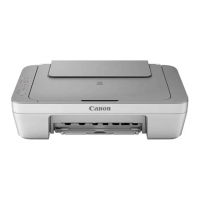



 To Next Page