EasyManua.ls Logo

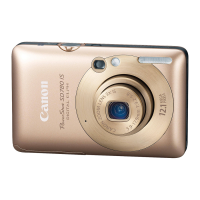
Canon POWERSHOT IXUS100IS - User Manual

Canon POWERSHOT IXUS100IS
164 pages
Print Icon
To Next Page IconTo Next Page
Loading...
Camera User Guide
DIGITAL CAMERA
Camera User Guide
CDI-E397-030 XXXXXXX © CANON INC. 2009 PRINTED IN JAPAN
Trademark Acknowledgments
The SDHC logo is a trademark.
HDMI, the HDMI logo and High-Definition Multimedia Interface are
trademarks or registered trademarks of HDMI Licensing LLC.
Disclaimer
Reprinting, transmitting, or storing in a retrieval system any part of this
guide without the permission of Canon is prohibited.
Canon reserves the right to change the contents of this guide at any
time without prior notice.
Illustrations and screenshots in this guide may differ slightly from the
actual equipment.
Every effort has been made to ensure that the information contained in
this guide is accurate and complete. However, if you notice any errors
or omissions, please contact the Canon customer service center
indicated on the customer support list included with the product.
The above items notwithstanding, Canon accepts no liability for
damages due to mistaken operation of the products.
Battery Charger CB-2LV
This product is not intended to be serviced. Should the product cease
to function in its intended manner, it should be returned to the
manufacturer or be discarded.
This power unit is intended to be correctly orientated in a vertical or
floor mount position.
IMPORTANT SAFETY INSTRUCTIONS-SAVE THESE
INSTRUCTIONS.
DANGER-TO REDUCE THE RISK OF FIRE OR ELECTRIC
SHOCK, CAREFULLY FOLLOW THESE INSTRUCTIONS.
For connection to a supply not in the U.S.A., use an attachment plug
adapter of the proper configuration for the power outlet.
This battery charger is for exclusive use with Battery Pack NB-4L
(0.76 Ah). There is a danger of explosion if other battery packs are
used.
Make sure you read this guide before using the camera.
Store this guide safely so that you can use it in the future.
ENGLISH
COPY

Table of Contents

Question and Answer IconNeed help?

Do you have a question about the Canon POWERSHOT IXUS100IS and is the answer not in the manual?

Summary

Getting Started

Charging the Battery

Instructions for charging the camera's battery using the included charger.

Inserting the Battery and Memory Card

Guide on how to properly insert the battery and memory card into the camera.

Setting the Date and Time

Steps to set the camera's internal date and time settings for accurate recording.

Shooting in Special Conditions and Commonly Used Functions

Shooting in Various Conditions

Guidance on using different shooting modes for specific scenarios like portraits or night shots.

Selecting Settings Yourself

P Shooting in Program AE

Using Program AE mode for manual control over camera settings.

Shooting Close-ups (Macro)

Guide to capturing detailed shots of subjects at close distances.

Getting More Out of Your Camera

Changing the AF Frame Mode

Options for selecting the auto-focus frame mode to match shooting conditions.

Making Dark Subjects Appear Brighter (i-Contrast)

Compensates for dark subjects by automatically adjusting exposure and contrast.

Using Playback and Other Functions

Useful Information

Troubleshooting

Solutions for common problems and errors encountered with the camera.

Summary

Getting Started

Charging the Battery

Instructions for charging the camera's battery using the included charger.

Inserting the Battery and Memory Card

Guide on how to properly insert the battery and memory card into the camera.

Setting the Date and Time

Steps to set the camera's internal date and time settings for accurate recording.

Shooting in Special Conditions and Commonly Used Functions

Shooting in Various Conditions

Guidance on using different shooting modes for specific scenarios like portraits or night shots.

Selecting Settings Yourself

P Shooting in Program AE

Using Program AE mode for manual control over camera settings.

Shooting Close-ups (Macro)

Guide to capturing detailed shots of subjects at close distances.

Getting More Out of Your Camera

Changing the AF Frame Mode

Options for selecting the auto-focus frame mode to match shooting conditions.

Making Dark Subjects Appear Brighter (i-Contrast)

Compensates for dark subjects by automatically adjusting exposure and contrast.

Using Playback and Other Functions

Useful Information

Troubleshooting

Solutions for common problems and errors encountered with the camera.

Canon POWERSHOT IXUS100IS Specifications

General IconGeneral
Image Sensor1/2.3-inch CCD
Effective Pixels12.1 Megapixels
Optical Zoom3x
Digital Zoom4x
ISO SensitivityAuto, 80, 100, 200, 400, 800, 1600
Shutter Speed15 - 1/1500 sec
Video Resolution640 x 480 (30 fps)
Maximum Aperturef/3.2 - f/5.8
LCD Screen Size2.5 inches
Image StabilizationOptical
Storage MediaSD/SDHC
Battery TypeNB-4L
Video RecordingYes

Related product manuals