3-2
Media Configuration Tool Guide
Chapter 3 Updating Media Information File
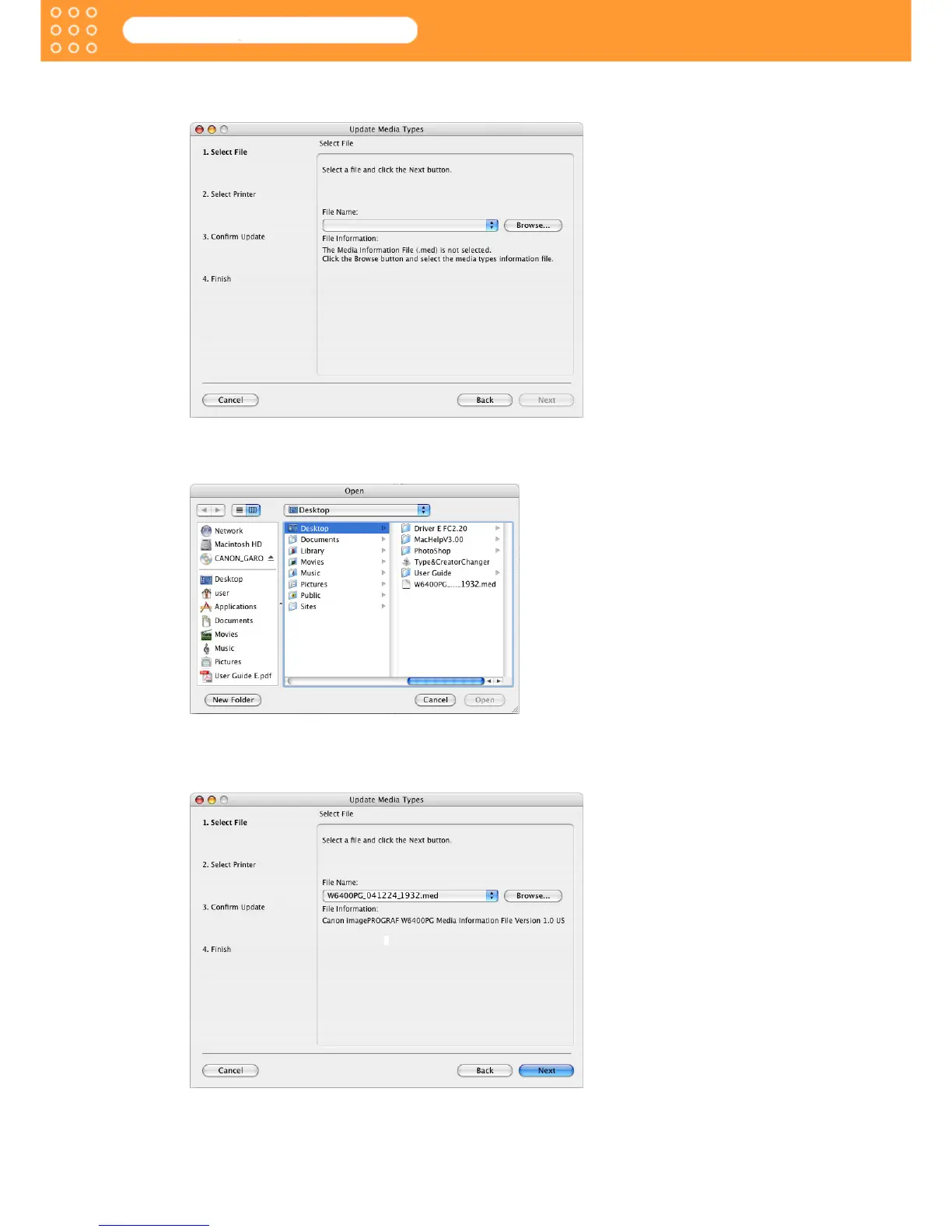
2. Click the Update Media Types button.
The Update Media Types wizard starts.
3. Click the Browse button to open the Open dialog box.
4. Move the file to a directory containing Media Information File (*.med).
5. Select the Media Information File and click the Open button.
The name of the Media Information File you have selected in the Open dialog box is
displayed in File Name in the Update Media Types wizard.









 To Next Page