1-4
Media Configuration Tool Guide
Chapter 1 Installing and Starting the Media Configuration Tool
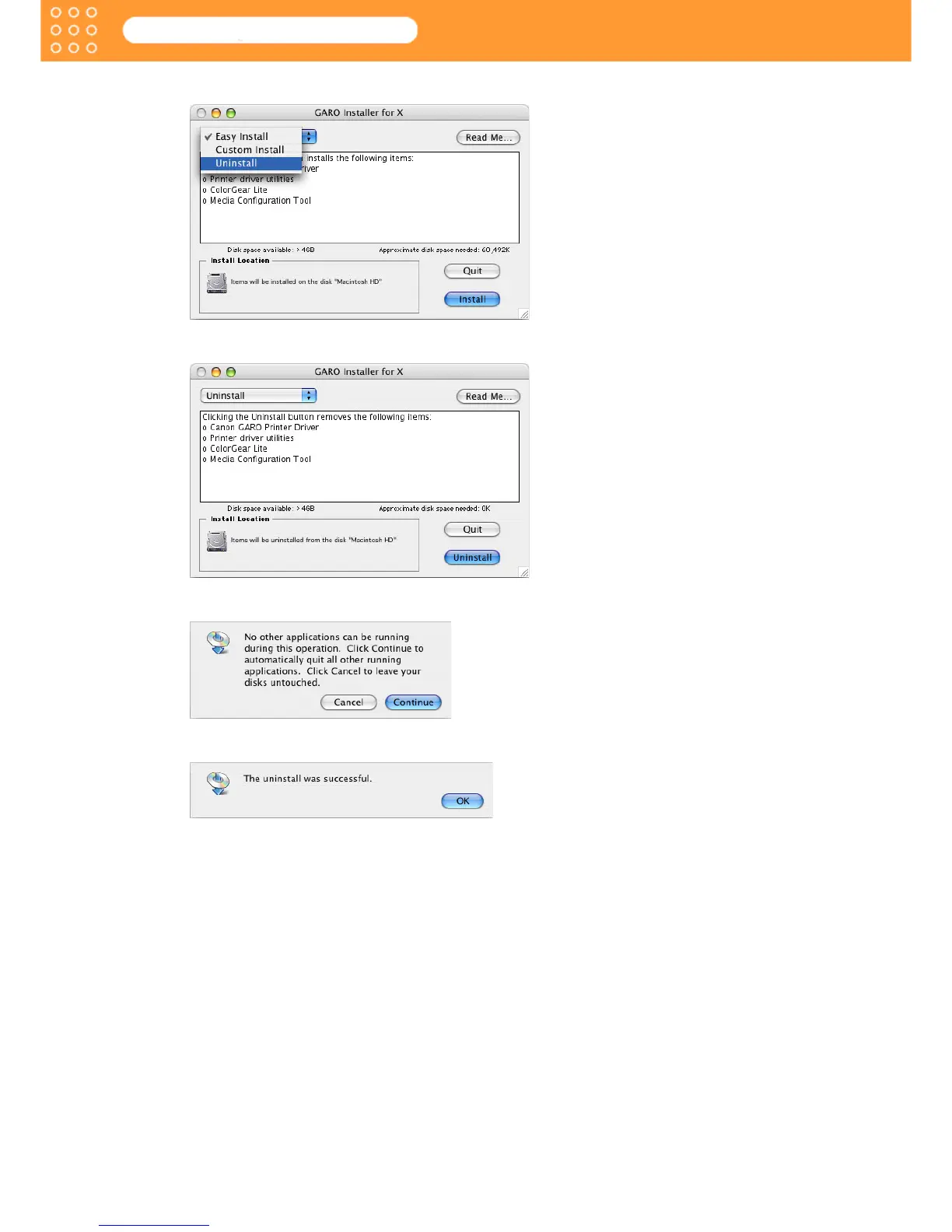
2. Select Uninstall.
3. Click the Uninstall button.
4. Press the Continue button when another application is running.
5. When the following message is displayed, click the OK button.
Media Configuration Tool and other items have been uninstalled.
6. Remove User Software CD-ROM from the CD-ROM drive.









 To Next Page