Materials
• About Remote Control
If
you are using a camera* that supports remote
control
for the adapter, you can use the Camera Connect
smartphone app
or
the
EOS Utility
software that comes
with the camera to operate the power zoom. The zoom
mode switch
should
be set to Power
Zoom [PZ].
For
details,
refer to the
EOS Utility
software instruction
manual or the Canon website.
* Supported EOS
cameras (as
of
February 2016):
EOS 80D
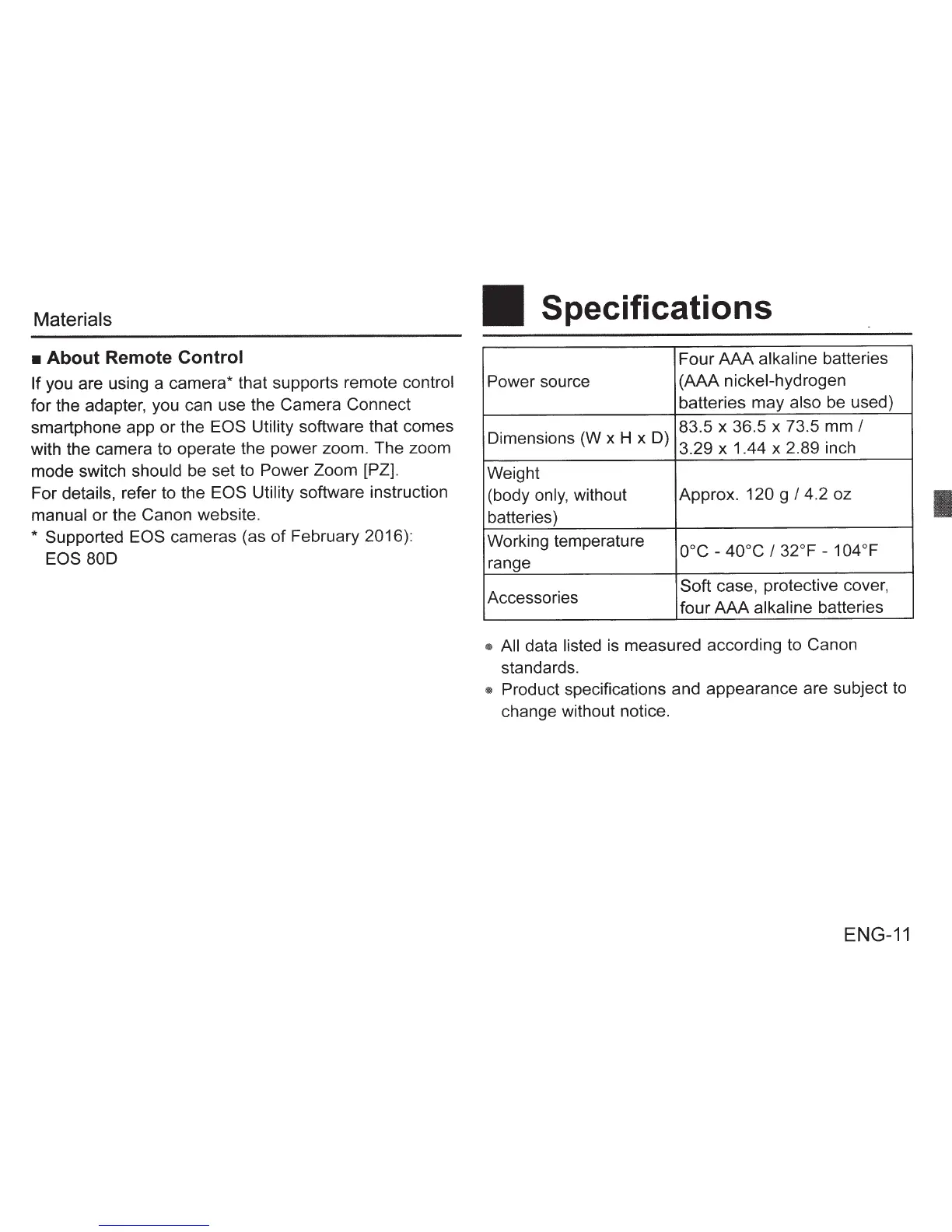
Specifications
Four
AAA
alkaline batteries
Power
source (AAA nickel-hydrogen
batteries may
also
be used)
Dimensions (W x
H x D)
83.5 x 36.5 x 73.5 mm
I
3.29 x 1.44 x 2.89 inch
Weight
(body
only,
without Approx.
120 g
I
4.2 oz
batteries)
Working temperature
ooc
-
40°C
I
32°F -
104
oF
range
Accessories
Soft case, protective cover,
four
AAA
alkaline
batteries
• All
data
listed
is measured according to Canon
standards.
• Product
specifications and appearance are subject to
change without notice.
ENG-11
I








 To Next Page