
 Need help?
Do you have a question about the Canon SpeedLite 580EX and is the answer not in the manual?
Explains the function of the Select Dial symbol (<).
Explains the function of the Select/Set button symbol (<).
Defines the Caution and Note symbols used in the manual.
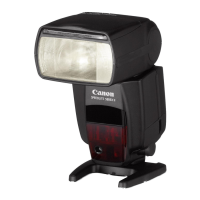
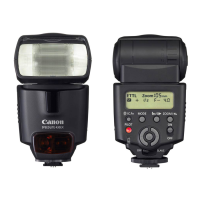
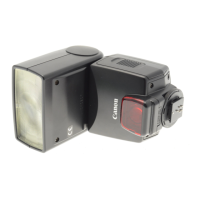
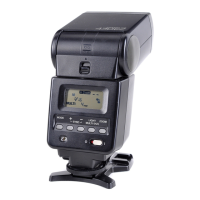
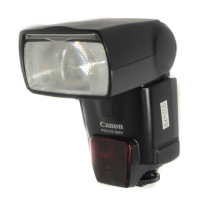
Identifies and labels the external parts of the Speedlite 580EX.
Details the case and mini stand provided with the Speedlite.
Illustrates and explains the various buttons on the Speedlite.
Explains the function of the wireless selector switch.
Explains various icons and readings displayed on the LCD panel.
Details how to activate the LCD panel illumination.
Step-by-step instructions for inserting batteries into the Speedlite.
Guide on mounting the Speedlite onto the camera's hot shoe.
Instructions for turning on the Speedlite and checking its readiness.
How to use the Speedlite in automatic E-TTL II/E-TTL modes.
Explanation of E-TTL II/E-TTL autoflash compatibility with camera modes.
Adjusting flash output for exposure control, up to +/- 3 stops.
Taking multiple shots with automatically varied flash outputs.
Locking flash exposure settings for specific subjects.
Enabling flash synchronization with high shutter speeds.
Directing flash off surfaces for softer lighting effects.
Adjusting flash coverage and using the wide panel for wider angles.
Manually setting flash output power from 1/128 to 1/1.
Setting up rapid series of flashes for capturing motion.
Creating light trails by firing flash before shutter close.
Customizing Speedlite features and operational preferences.
Steps to set flash exposure compensation using the dial.
Procedure to configure and activate flash exposure bracketing.
How to lock flash exposure for specific subjects or scenes.
Enables flash use with fast shutter speeds for fill-flash portraits.
Adjusting the flash head's angle for bounce lighting.
How to use the catchlight panel to add reflection to eyes.
Matching flash coverage to lens focal length (24-105mm).
Extending flash coverage to 14mm for wide-angle lenses.
How Speedlite automatically sets coverage based on camera's image size.
Steps to set manual flash output from 1/128 to 1/1 power.
Configuring firing frequency (Hz), number of flashes, and output.
Using slow shutter speeds to create light trails following subjects.
Accessing and modifying custom functions for personalized operation.
Switching the distance unit display between meters and feet.
A comprehensive table detailing all custom functions and their settings.
Introduction to wireless flash capabilities and basic setup.
Configuring master and slave units for automatic wireless flash shooting.
Adjusting flash output ratios between master and slave units.
Setting different manual flash outputs for individual wireless slave units.
Manually configuring slave units for manual or stroboscopic flash.
General introduction to wireless flash functionality and benefits.
Initial configuration steps for wireless flash systems.
Example configuration for wireless flash using two slave groups.
Example configuration for wireless flash using three slave groups.
Steps to set up the master and slave Speedlites for automatic operation.
Checking and setting communication channels to prevent interference.
Testing the wireless flash system before shooting.
Final steps for taking pictures using the wireless flash setup.
Preventing the master unit from firing during exposure.
Changing channels to avoid interference with other flash systems.
Assigning slave IDs (A, B) to slave units for ratio control.
Configuring the master unit to control flash ratios.
Choosing and applying flash ratios (e.g., A:B) for slave units.
Configuring three slave groups for advanced wireless lighting setups.
Using the modeling flash to preview lighting and shadow effects.
Managing multiple Speedlites assigned to the same slave group ID.
Adjusting manual flash output for each slave unit (group A, B, C).
Manually setting flash output for slave units individually.
Manually setting stroboscopic flash parameters for slave units.
Description of the Speedlite 580EX system and its components.
Solutions for common problems encountered with the Speedlite.
Detailed technical specifications of the Speedlite 580EX.
Information on compatibility and features when used with Type-B cameras.
Lists and illustrates all components of the Speedlite 580EX system.
How flash color temperature information optimizes camera white balance.
Explanation of how the AF-assist beam aids low-light focusing.
Resolving issues where the Speedlite cannot be removed from the camera.
Diagnosing and fixing problems with the Speedlite failing to fire.
Troubleshooting issues with wireless slave units not firing.
Addressing unintended power-off due to auto power save.
Identifying the cause for the entire LCD panel blinking.
Reasons for blinking flash range scale bars (e.g., bounce tilt).
Correcting dark areas caused by incorrect flash coverage settings.
Troubleshooting flash exposure issues like underexposure or overexposure.
Addressing causes of blurred images, such as camera shake or low light.
Details on Speedlite type, compatible cameras, and guide numbers.
Key performance metrics including guide numbers and flash coverage range.
Information on exposure control types, flash range, and compensation.
Details on recycling times, indicators, and wireless transmission.
Wireless transmission range, reception angle, and controllable slave groups.
Details on custom functions, linkable AF points, and AF-assist beam range.
Information on battery life, power saving, dimensions, and weight.
Comprehensive tables of guide numbers for various flash coverage and output settings.
Details available features and limitations when using Speedlite with Type-B cameras.
Information regarding FCC rules, interference, and user modifications.
Warnings about exposure to liquids, heat, and battery charging.
Details on warranty terms, exclusions, and claim procedures.
Information on obtaining service at authorized Canon facilities worldwide.
 General
| Product color | Black |
|---|---|
| Focal length range | 105 mm |
| Approx. number of flashes | 100 - 700 |
| Approximate recycling time | 0.1 s |
| Guide number (ISO 100, set at 35mm zoom) | 58 m |
| Number of batteries supported | 4 |
 Weight and Dimensions
| Weight | 375 g |
|---|---|
| Dimensions (WxDxH) | 76 x 134 x 114 mm |



 To Next Page