EasyManua.ls Logo

Canon WA10 - User Manual

Canon WA10
51 pages
Print Icon
To Next Page IconTo Next Page
Loading...
This manual describes the setup and operating procedures for the
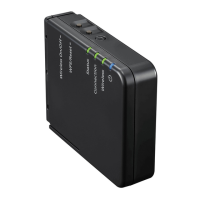
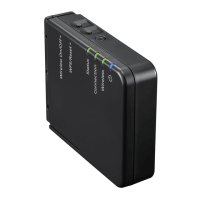
WA10 Network Adapter for the Canon imageFORMULA DR series.
To use this device, read this manual together with the instructions for
the scanner to be connected.
Procedures and Example Screens
This manual describes operations using Windows 7 as examples.
Table of Contents
Safety Precautions ..............................................................4
About This Device ...............................................................6
Setup.....................................................................................8
About Wi-Fi Connections..................................................10
Connecting Using the Wireless Settings
of the Computer .................................................................13
Selecting and Connecting to a Destination
Access Point ......................................................................15
Specifying and Connecting to an Access Point .............18
Connecting Using WPS.....................................................20
Connecting to Another Device with One-to-One
Connection.........................................................................21
Connecting to the Wired Network ....................................23
Scanning with the CaptureOnTouch Job Tool
from a Smart Device ..........................................................25
Scanning from a Computer with
the CaptureOnTouch Job Tool .........................................32
Using the Web Menu .........................................................37
Troubleshooting ................................................................43
Specifications ....................................................................45
WA10
User Manual

Questions and Answers

  • T
    Tiffany GrimesAug 6, 2025
    What to do if operating the Canon Adapter scanner produces an error after setup with the WA10 Wireless Connection Tool?
    • T
      Thomas BlairAug 6, 2025
      If you encounter an error when operating the Canon Adapter scanner immediately after setup with the WA10 Wireless Connection Tool, it may be due to an unstable network connection on your computer. Wait for a while, or try restarting your computer.
  • P
    Patricia GrayAug 11, 2025
    Why does the Canon Adapter network disconnect during use?
    • J
      Jeremy BrownAug 11, 2025
      To resolve network disconnections during use with the Canon Adapter, first, check the condition of the cable connection. Also, check the status of network traffic. If the network is under a heavy load, processing may take time, leading to timeouts. Wait for a while and then try reconnecting. If the issue continues, please contact your network administrator.
  • M
    Michael KeyAug 15, 2025
    How to connect Canon WA10 Adapter to an access point?
    • D
      Donald HintonAug 15, 2025
      To establish a connection to an access point with your Canon Adapter, ensure the access point is operating correctly. Confirm that the device is in Station mode. Turn both the device and the access point off and then on again, and attempt the Wi-Fi connection again. Electromagnetic emissions from cordless phones, microwave ovens, refrigerators, Bluetooth devices, and other appliances can interfere with Wi-Fi signals, so keep the device and access point away from such appliances. If the access point’s stealth function is enabled, disable it when selecting and connecting to the access point. Note that if the access point’s MAC filtering function is enabled, the MAC address of this device must be registered.
  • N
    Nicole HuffAug 25, 2025
    Why is automatic connection to the network not possible with Canon WA10 Adapter?
    • K
      Karen TaylorAug 25, 2025
      If automatic connection to the network is not possible with your Canon Adapter, and your network environment supports DHCP, consult your network administrator. If your network environment does not support DHCP, configure the IP address manually.
  • B
    bdavisAug 28, 2025
    Why does Canon Adapter scanner automatically turns itself off?
    • J
      Julie RobertsAug 28, 2025
      If the Canon Adapter scanner automatically turns itself off, it is likely due to the Auto Power Off function being enabled. Turn the scanner back on, and disable the Auto Power Off function as described in the scanner’s manual.
  • A
    Anna KeithSep 1, 2025
    How to reset Canon Adapter to the factory default settings?
    • C
      Crystal SimsSep 1, 2025
      To return the Canon Adapter device to its factory default state, hold down the WPS/Reset button while turning on the device, and continue holding it until the device’s Connection lamp lights red. Depending on the connection environment, it may take up to 2 minutes for the device to start up. Then, initialize the device in the web menu.
  • B
    Brian MyersNov 18, 2025
    Why Canon WA10 scanner does not appear in the list on the scanner selection screen?
    • M
      Michael KlineNov 18, 2025
      If the Canon Adapter scanner does not appear in the list on the scanner selection screen, confirm that the scanner is compatible with the device, that the device and scanner are connected via USB cable, and that the IP address is configured properly. If a DHCP server does not exist on the network, you need to use a static IP address. You cannot connect if the connected segment is different, so set it to the same segment as your computer. Connection may not be possible due to security software settings. You cannot connect if the same device exists on multiple networks and you specify a device with a different IP address. Confirm that the version of the installed scanner driver is compatible with this device and that the network cable is connected properly. Also, confirm that the device is n...

Canon WA10 Specifications

General IconGeneral
BrandCanon
ModelWA10
CategoryAdapter
LanguageEnglish

Related product manuals