ENG
ENG
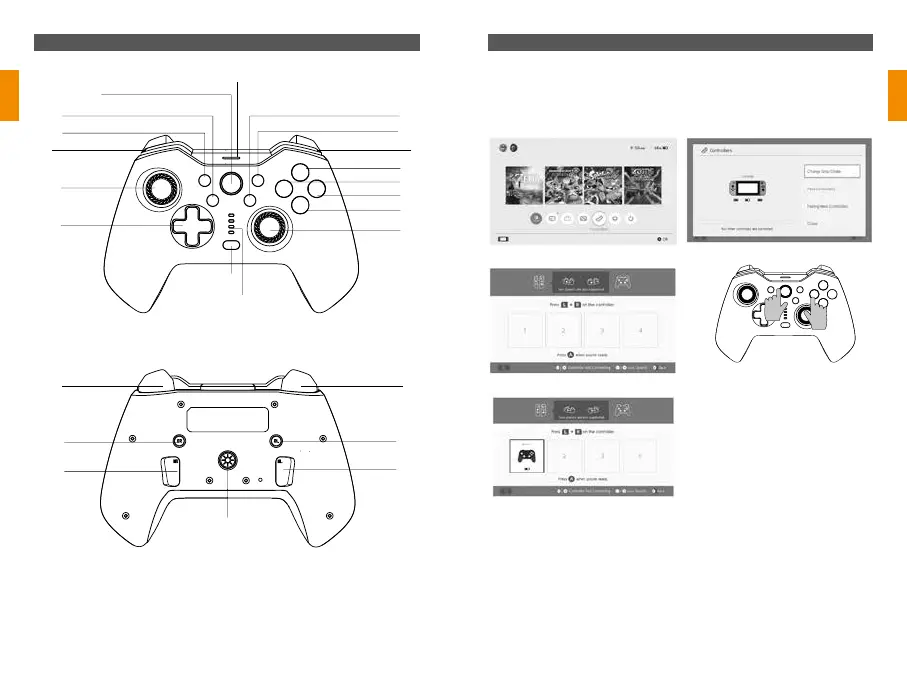
Device overview Connection Method
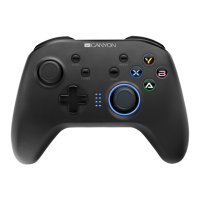
CND-GPW02
v 1.0
* Press the «HOME» button can wake up the console then re-connect the console
after the first connection with the N-S controller.
Unable to connect, please follow under three steps to solve:
1.Turn off airplane mode
2.Delete the information of this controller in the NS console:
Path: system setting-controllers and sensors-disconnect controllers.
3.Follow the first time connection method and re-pair again
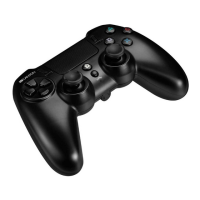
TURBO Button
L/LB Button R/RB Button
Capture Button
HOME Button
LED5
MACRO Button
LED1/LED2/LED3/LED4/
RGB Control Button
- & SELECT Button
Left Joystick
R3 Button
SR Button
ZR/RT Button
SL Button
ZL/LT Button
MR Button ML Button
D-pad
Right Stick /
R3 Button
+ & Button
Y Button
X Button
B Button
A Button
A
B
X
Y
Ⅰ. Connect to NS:
1. Confirm the airplane mode of the console has been closed;
2. Enter the connection interface (refer to step Picture 1→2→3);
3. Press “Y” and “HOME” keys (reference Picutre 4) simultaneously on the
controller, until the four signal lights flash quickly back and forth, and then wait for
successful connection. Reference to Picture5
Picture 1
Picture 3
Picture 5
Picture 2
Picture 4



 To Next Page