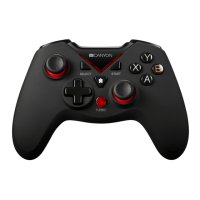
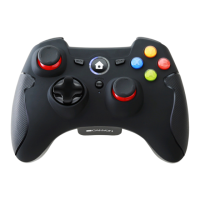
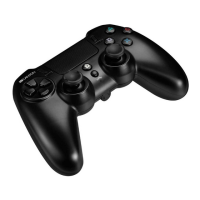
Compatible with Nintendo switch console, PC, PS3, Android.
Operation range up to 10 m
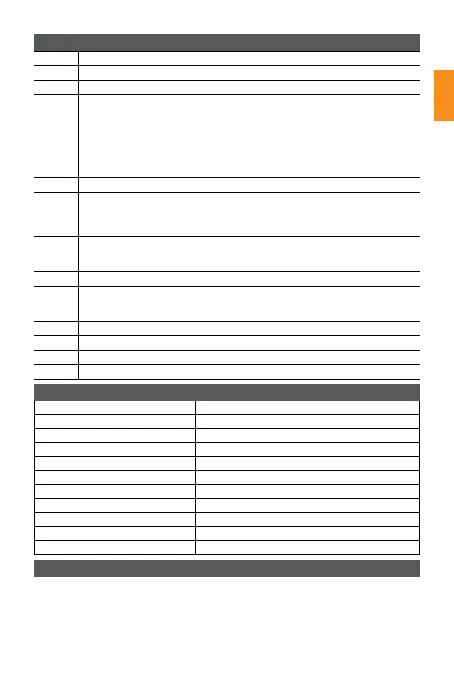
Built in Li-polymer battery 600 mA
Charging time 2.5 hours
Playing time more than 8 hours
Vibration motors 2
INPUT 5V, 500 mA
Dimensions LWH:152*102*60.5 mm
Weight 200 g
Operating temperature -20°C ~ 45°C
Operating humidity ≤55%
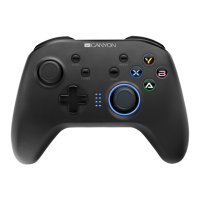
A Back button
B /H Left analog stick Right analog stick
C 8D Direction pad
D
Turbo button setting:
1. Hold the key to which you want to apply the turbo function while not releasing
it, press the turbo button once.
The backlight will flash red if set successfully.
2. To cancel this function, hold the key to which you applied the turbo function
and do not release it and then press the turbo key once. The backlight will turn
blue
3. The following keys can be used for the TURBO function: A, B, X, Y, LB, RB, LT, RT.
E Start button
F
Home button
Hold the «Home» button for 5 seconds to turn the device off
1.Home button is used to change the operation mode.
2. Home button can be used to exit the game and return to the home page.
G
The function keys :A,B,X,Y
A, B, X, Y backlight LEDs. Hold down L + R for 5 seconds to turn off or turn on
the LED backlight.
I Channel LED indicators
J
Backlight
1. When starting up normally, blue backlight is on.
2. When TURBO function is activated, the red backlight is on.
K LB/RB buttons/triggers
L LT/RT buttons/triggers
M USB type C
N RESET switch
EN
Device overview
Technical specifications
PC Xinput /Dinput wireless mode connection Settings:
1. Press the «HOME» button, for each operation mode, LED1, LED2, LED3 and LED4
will flash in pairs.
2. Xinput mode: Insert the receiver into the computer USB, the controller will begin
to pair with the receiver. LED1+LED4 will turn on if the connection is successful.
3. To switch the gamepad to the Dinput mode, please hold the HOME key for 5
seconds until LED1 + LED3 are on.


 To Next Page