Need help?
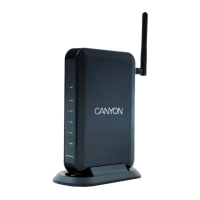
Do you have a question about the Canyon CNP-WF514 and is the answer not in the manual?
Essential safety guidelines for operating the device safely and preventing hazards.
Step-by-step guide for physically connecting the router and PCs.
Choosing the appropriate internet connection method (DHCP, PPPoE, etc.).
Fundamental wireless network parameters like SSID and channel.
Configures port forwarding for external access to internal servers.
Stateful Packet Inspection firewall for enhanced network security.
Changing the router's administrator login credentials.
Updating the router's firmware to the latest version.
 General
| Wireless Standards | IEEE 802.11b/g/n |
|---|---|
| Frequency Band | 2.4 GHz |
| Max Wireless Speed | 300 Mbps |
| Maximum Data Rate | 300 Mbps |
| Ports | 4 |
| LAN Ports | 4 x 10/100 Mbps |
| WAN Ports | 1 x 10/100 Mbps |
| Antenna Type | External |
| Antenna | 2 x 5dBi |
| Weight | 150 g |
| Security | WPA, WPA2 |

 To Next Page